
Work queues
Internal requests, tracked like client work.
The team asks DevOps, QA, administration, finance or legal for help, and every request lands in a queue with a timer.
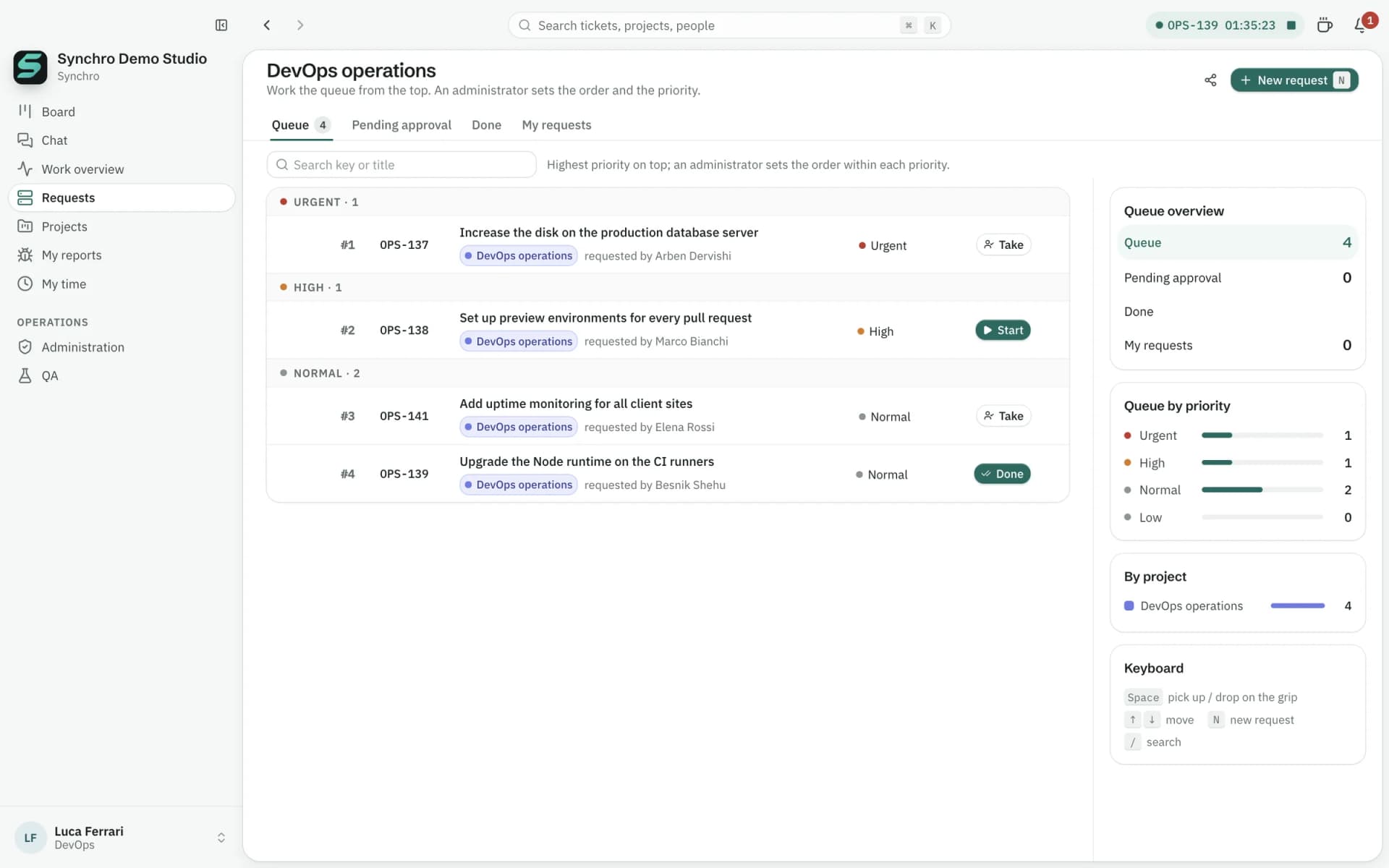
Highlights
- Cards turn amber at half the target time and red past it: urgent 4 h, high 8 h, normal 24 h, low 72 h.
- Start takes the next item and starts the timer.
- QA's To test list and a Needs changes column for work sent back.
- QA and DevOps report bugs straight to a developer and follow them.
How it works
Ask for help
Anyone sends a request to DevOps, QA, administration, finance or legal.
Work the queue
Cards are ordered by priority and change colour as their target time runs out.
Close the loop
The person who asked is notified when the request is resolved.
Nothing waits in a DM
Requests are visible, ordered and timed.
Internal hours counted
Help given inside the team shows up as internal work.
Built for a board
A full-screen board with a Done today stash.
Questions
Is time on requests counted?
Yes. Hours logged on internal requests count as internal work in reports.
What are the target times?
Urgent 4 hours, high 8, normal 24 and low 72.
Related features
All features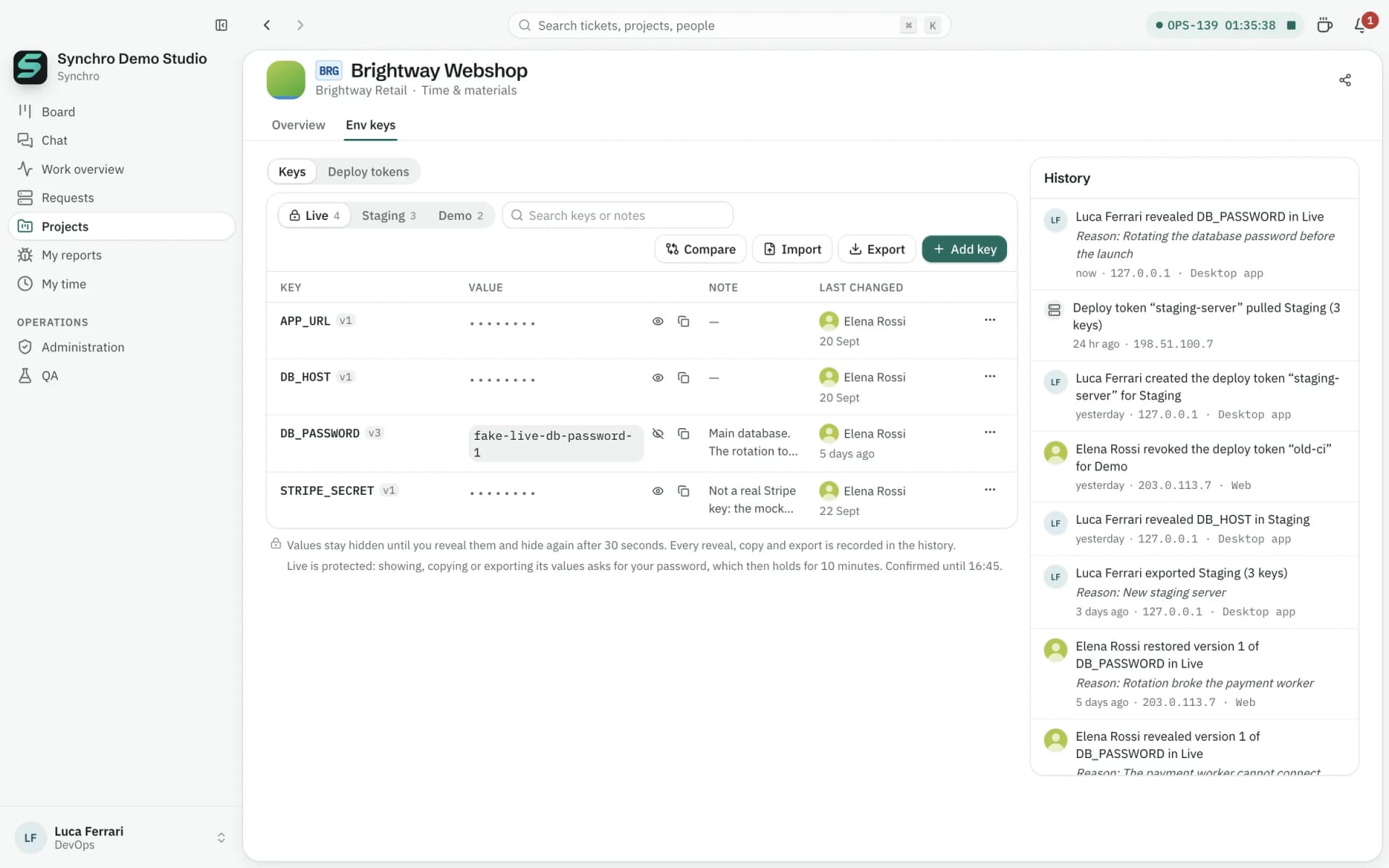 Environment keys vaultVariables per environment, Live, Staging and Demo, encrypted and password-protected. Every value revealed or exported is logged.
- Server mapServers, databases, storage, cloud, load balancers, firewalls, domains and external services, with the client apps that run on each.
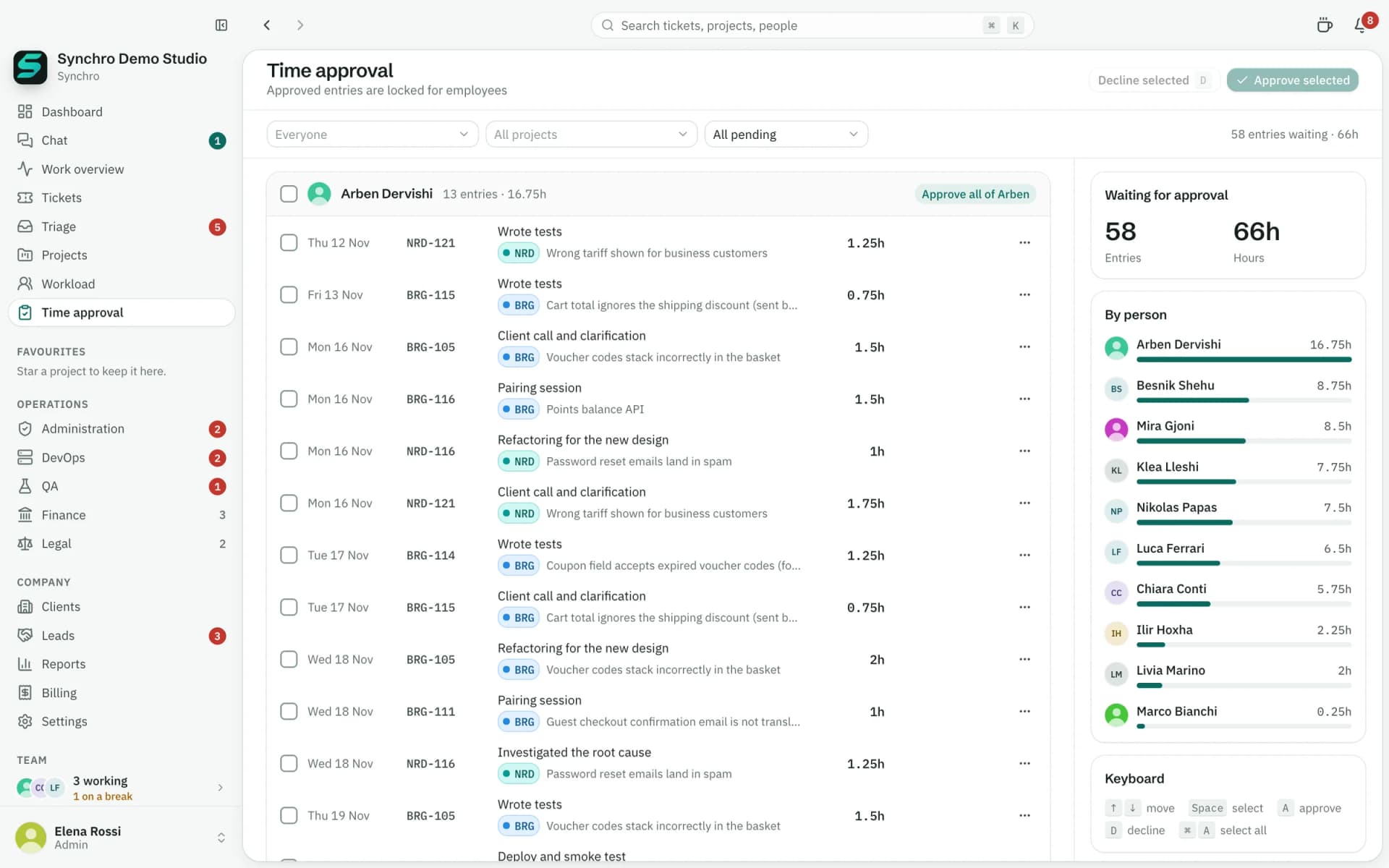 Time trackingOne timer per person, started from the ticket they are already working on. Approved hours lock.
See it on your own projects.
A 30-minute walkthrough on a scenario like yours: from WhatsApp message to ticket, from estimate approval to month-end invoice.