
Triage
Decide what it is before anyone works on it.
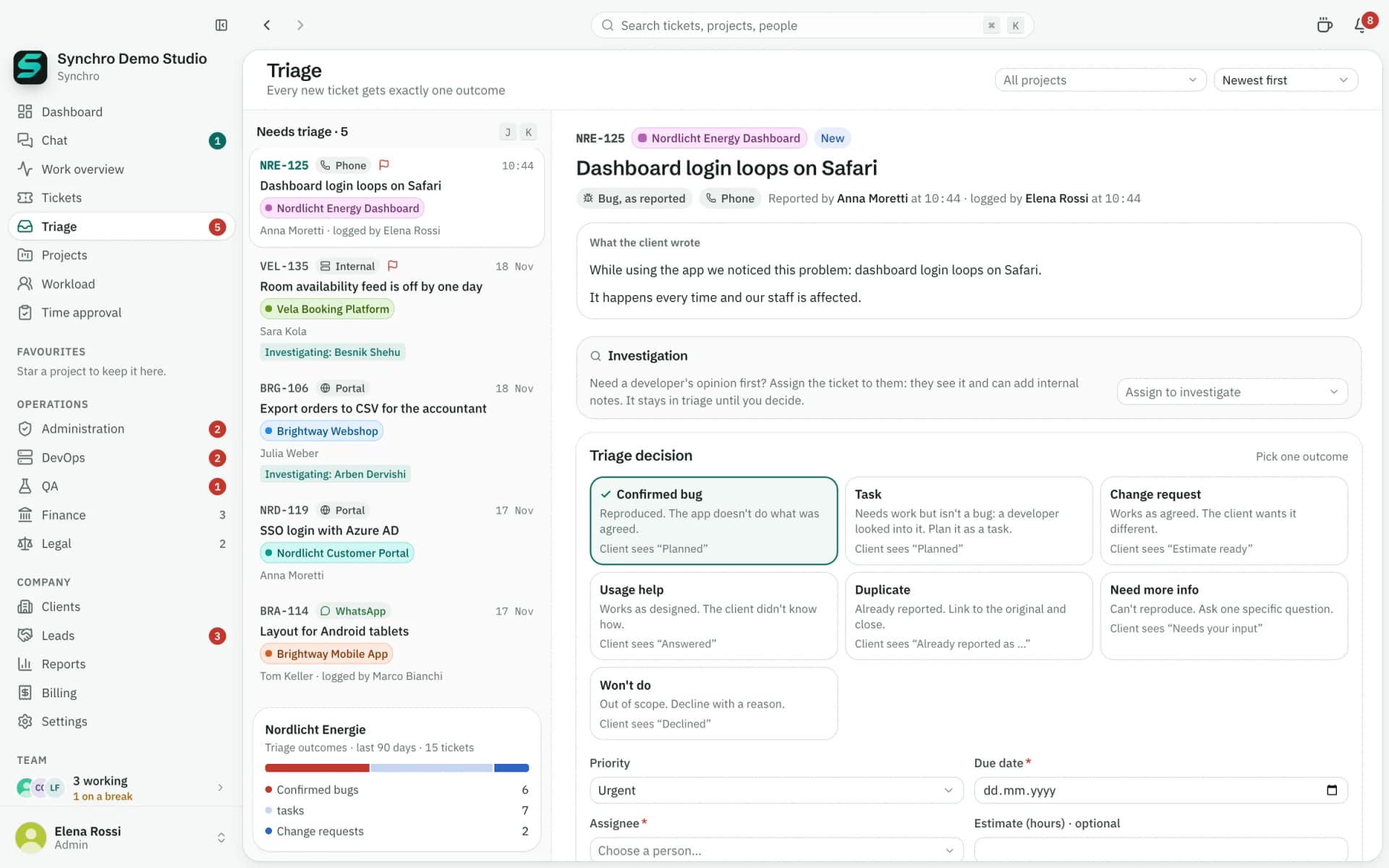
Every new report gets exactly one outcome. Changes are estimated and approved instead of being given away.
Highlights
- Confirmed bug, change request, usage help, duplicate, need more info or won't do.
- The client sees a plain status for each outcome.
- The triage screen shows the client's past outcomes.
- Duplicates link to the original; big tickets can be split.
How it works
A report arrives
New tickets from the portal or the team wait in the triage queue.
Pick one outcome
Confirmed bug, change request, usage help, duplicate, need more info or won’t do.
The client is told
The portal shows a plain status, and change requests move on to an estimate.
Stop free work
“Bug or change?” is settled before the work, not argued after it.
One queue to clear
New reports wait in one place until a lead decides.
Fair to clients
They see why a report became an estimate, an answer or a fix.
Questions
Who decides the outcome?
Owners and project managers triage; developers see the decided work in their own queue.
What happens with “need more info”?
The client sees “Needs your input”. Without an answer, the ticket closes itself after the auto-close period (7 days by default).
Related features
All features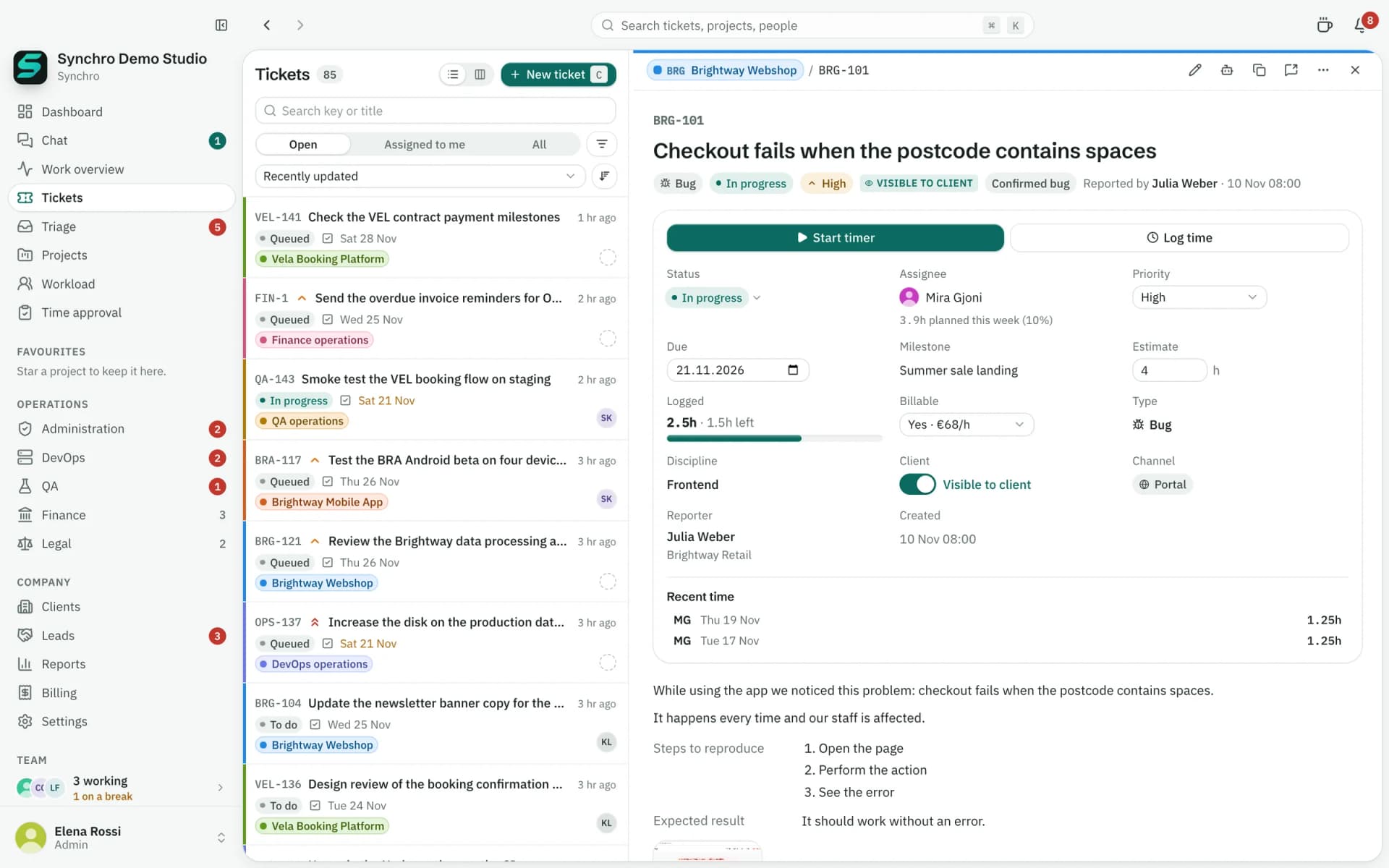 WhatsApp to ticketPaste the chat. Synchrosi reads the sender and time, matches the contact to the client, picks the project and attaches the screenshots.
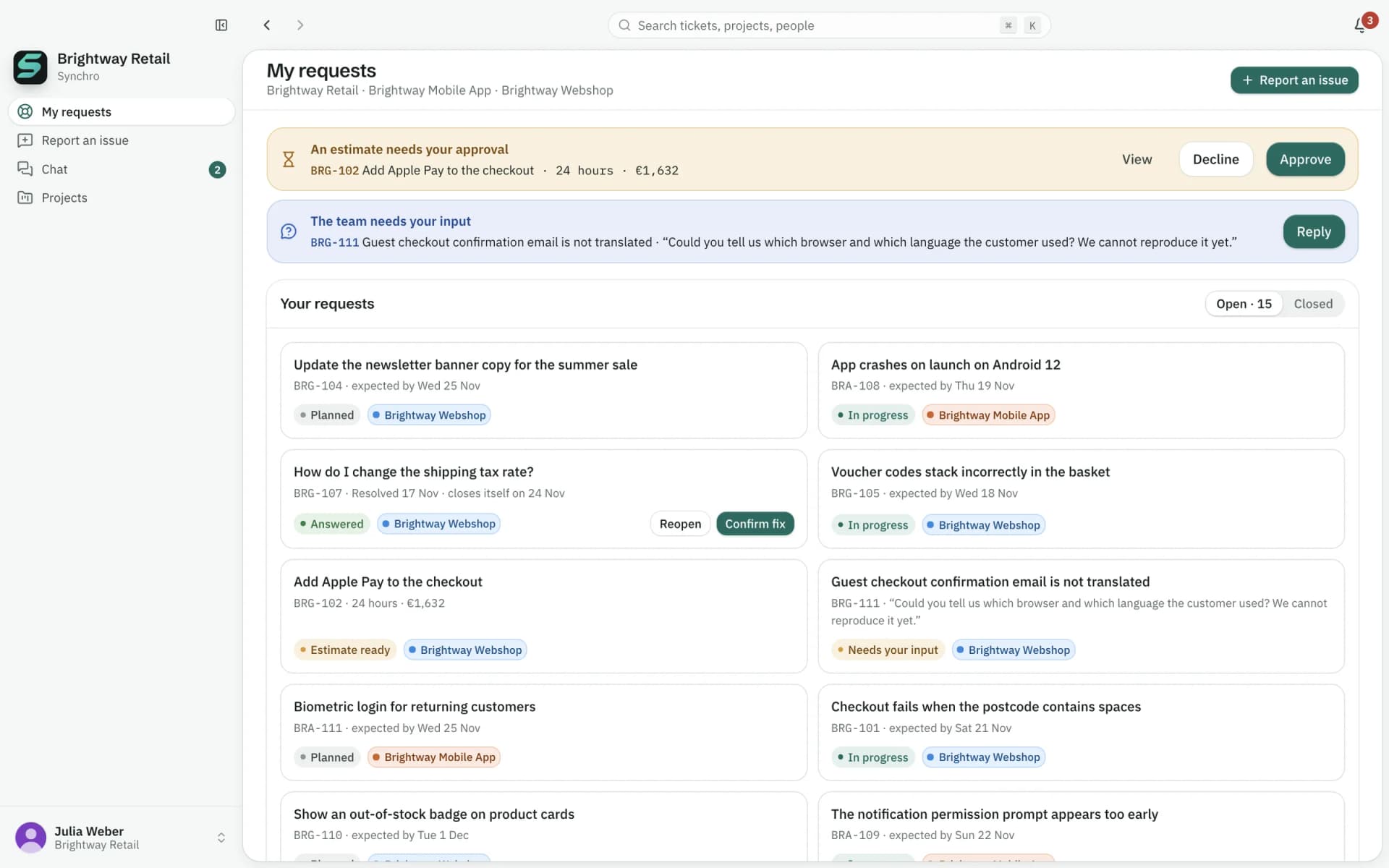 Client portalA portal where the client reports, replies, confirms fixes and approves estimates before work starts.
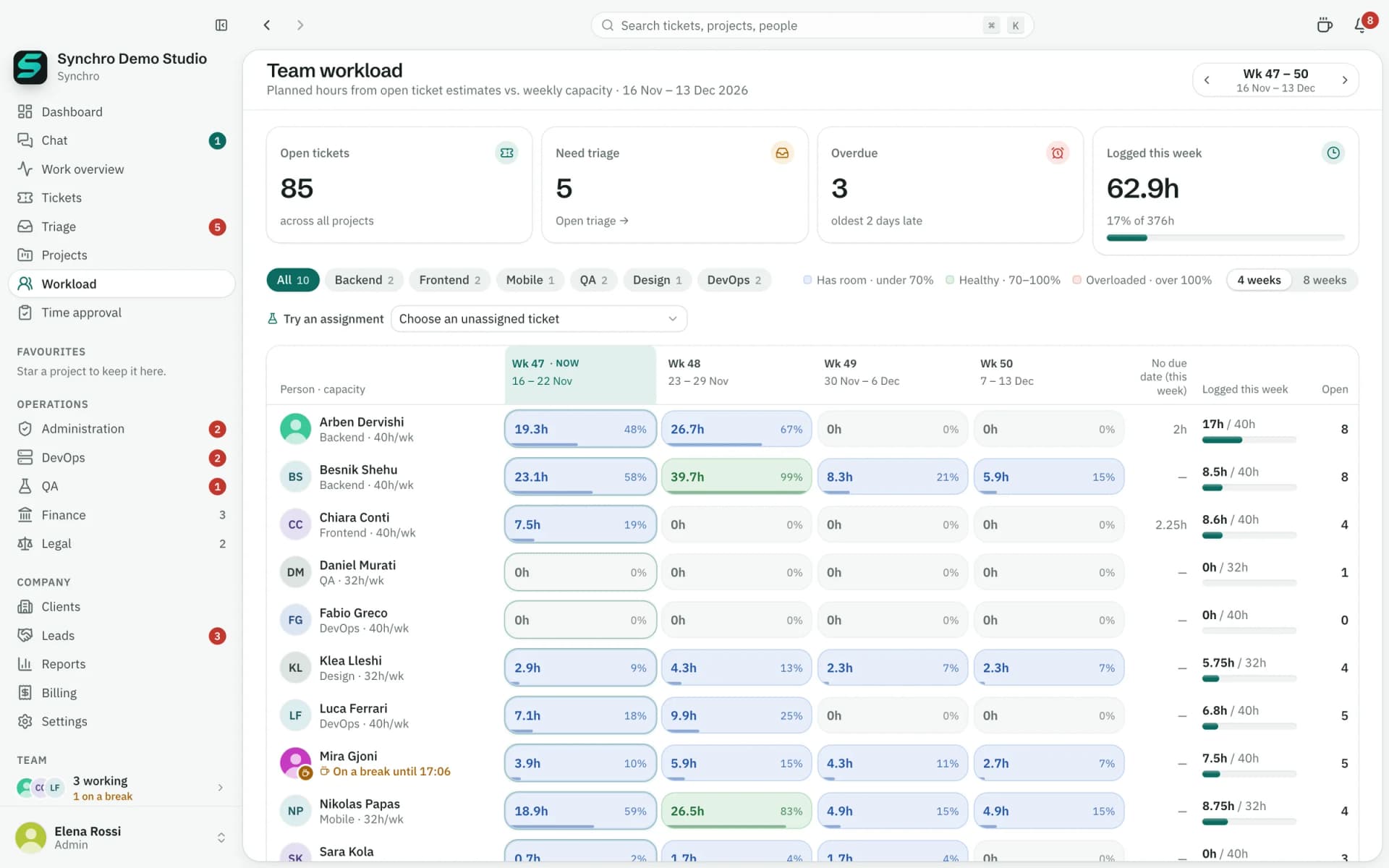 Team workloadEach person's week as a percentage of their capacity, calculated from estimates and due dates. Nobody has to fill in a plan.
See it on your own projects.
A 30-minute walkthrough on a scenario like yours: from WhatsApp message to ticket, from estimate approval to month-end invoice.