
WhatsApp to ticket
A WhatsApp message becomes a ticket in seconds.
Paste the chat. Synchrosi reads the sender and time, matches the contact to the client, picks the project and attaches the screenshots.
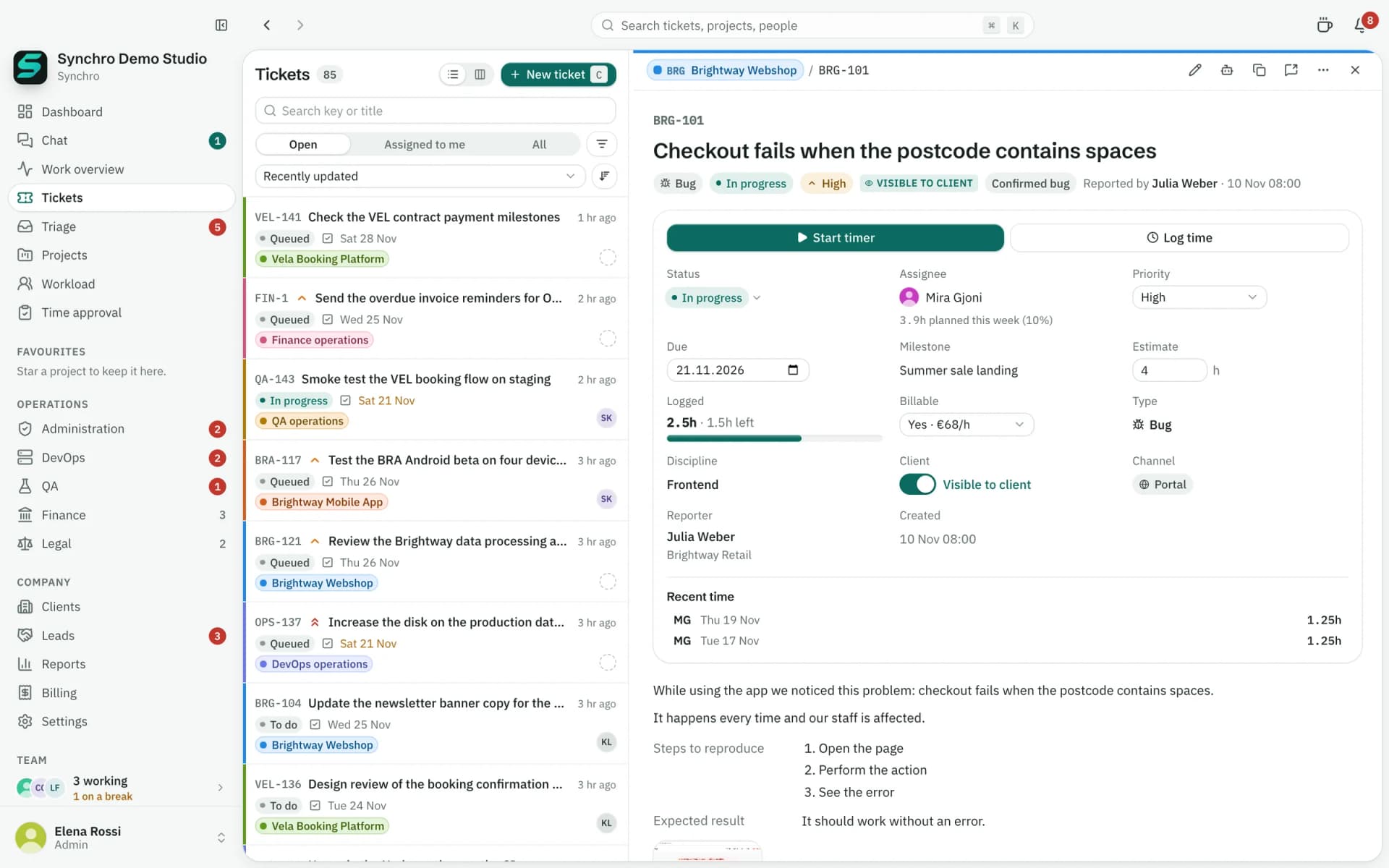
Highlights
- The ticket keeps the time the client first asked.
- One click copies the reply: “Logged as BRG-126. Follow it here.”
- Requests from email, phone and meetings go in the same way, each with its channel.
- Bug, feature, improvement, task, maintenance or question, with steps to reproduce and the live or test environment.
How it works
Paste the chat
Copy the WhatsApp messages and paste them into Synchrosi, or log a request from email, a call or a meeting.
Check the match
Synchrosi suggests the client, contact, project and the time it was first asked. Adjust anything before saving.
Reply with a link
Copy the ready reply with the ticket key, so the client can follow progress.
Nothing gets lost
Every request becomes work with an owner, an estimate and a due date, wherever it arrived.
Clients get a link
They follow progress without learning a new tool.
Ready for your coding agent
“Copy for prompt” turns a ticket into clean Markdown with steps, replies and subtasks, and no money.
Questions
Does it read our WhatsApp account?
No. You paste only the messages you want to log, so nothing reads your chats in the background.
What about calls and emails?
Every ticket records its channel: portal, WhatsApp, email, phone, meeting or internal.
Related features
All features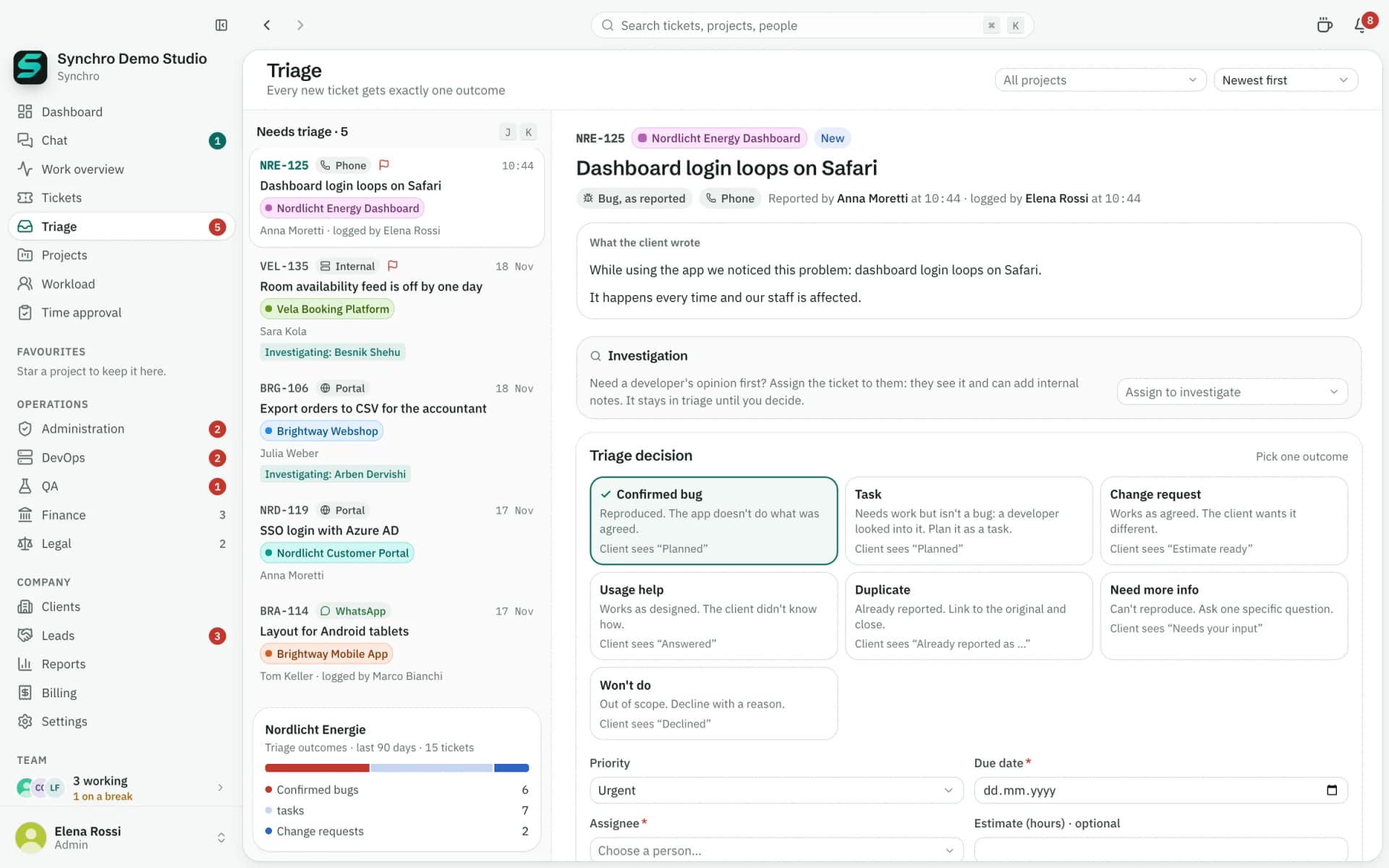 TriageEvery new report gets exactly one outcome. Changes are estimated and approved instead of being given away.
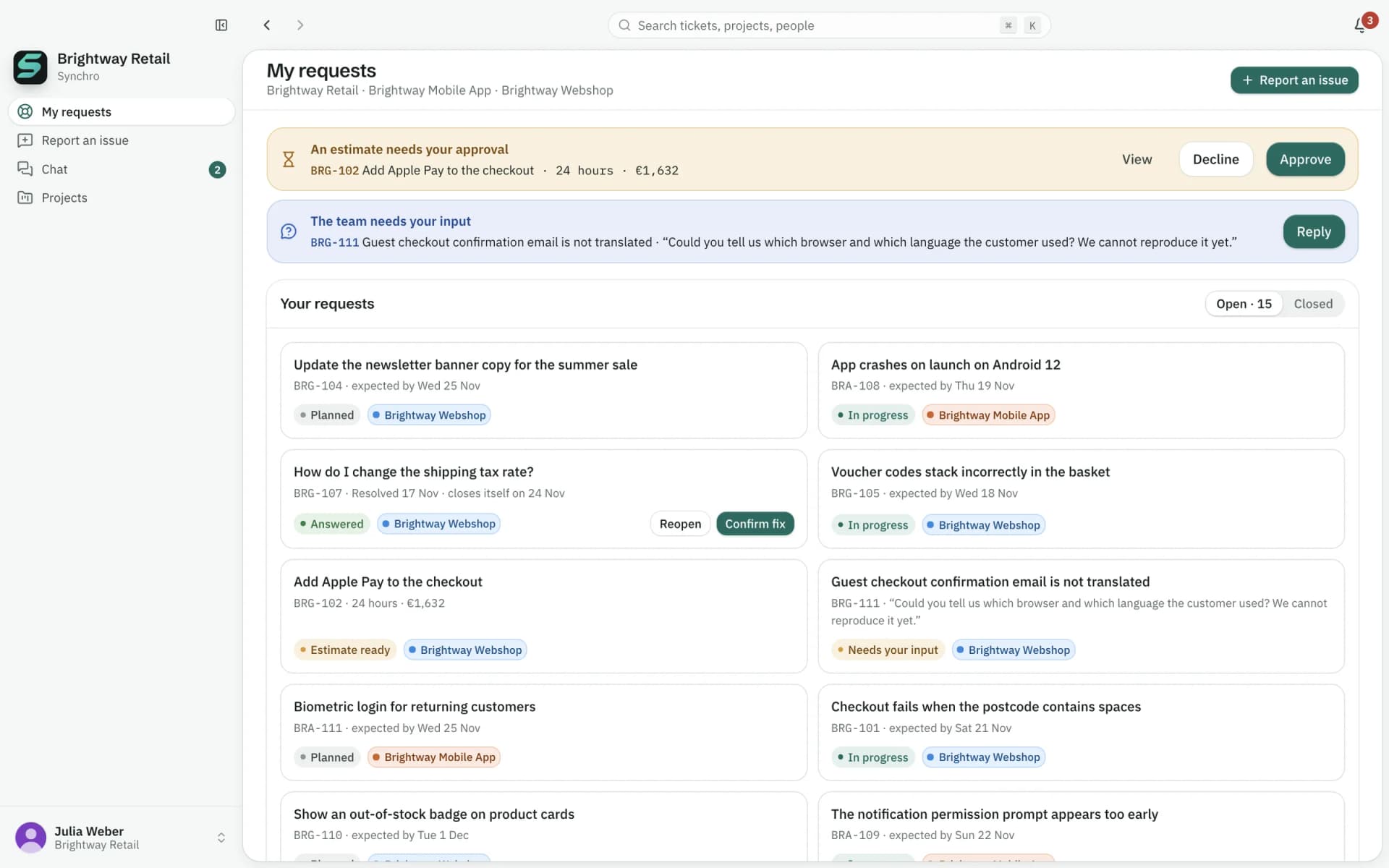 Client portalA portal where the client reports, replies, confirms fixes and approves estimates before work starts.
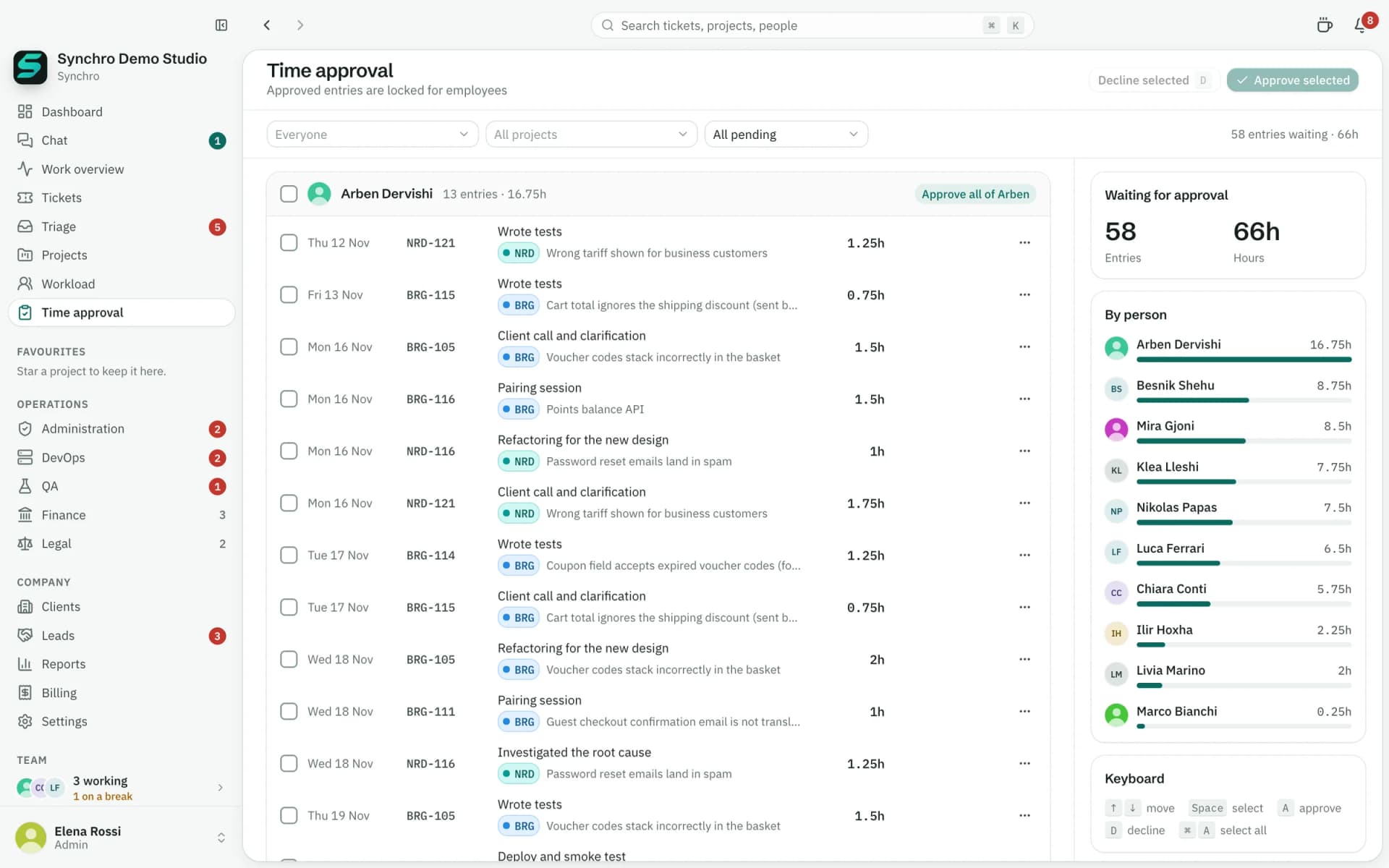 Time trackingOne timer per person, started from the ticket they are already working on. Approved hours lock.
See it on your own projects.
A 30-minute walkthrough on a scenario like yours: from WhatsApp message to ticket, from estimate approval to month-end invoice.