
Environment keys vault
Your .env files, finally out of the chat.
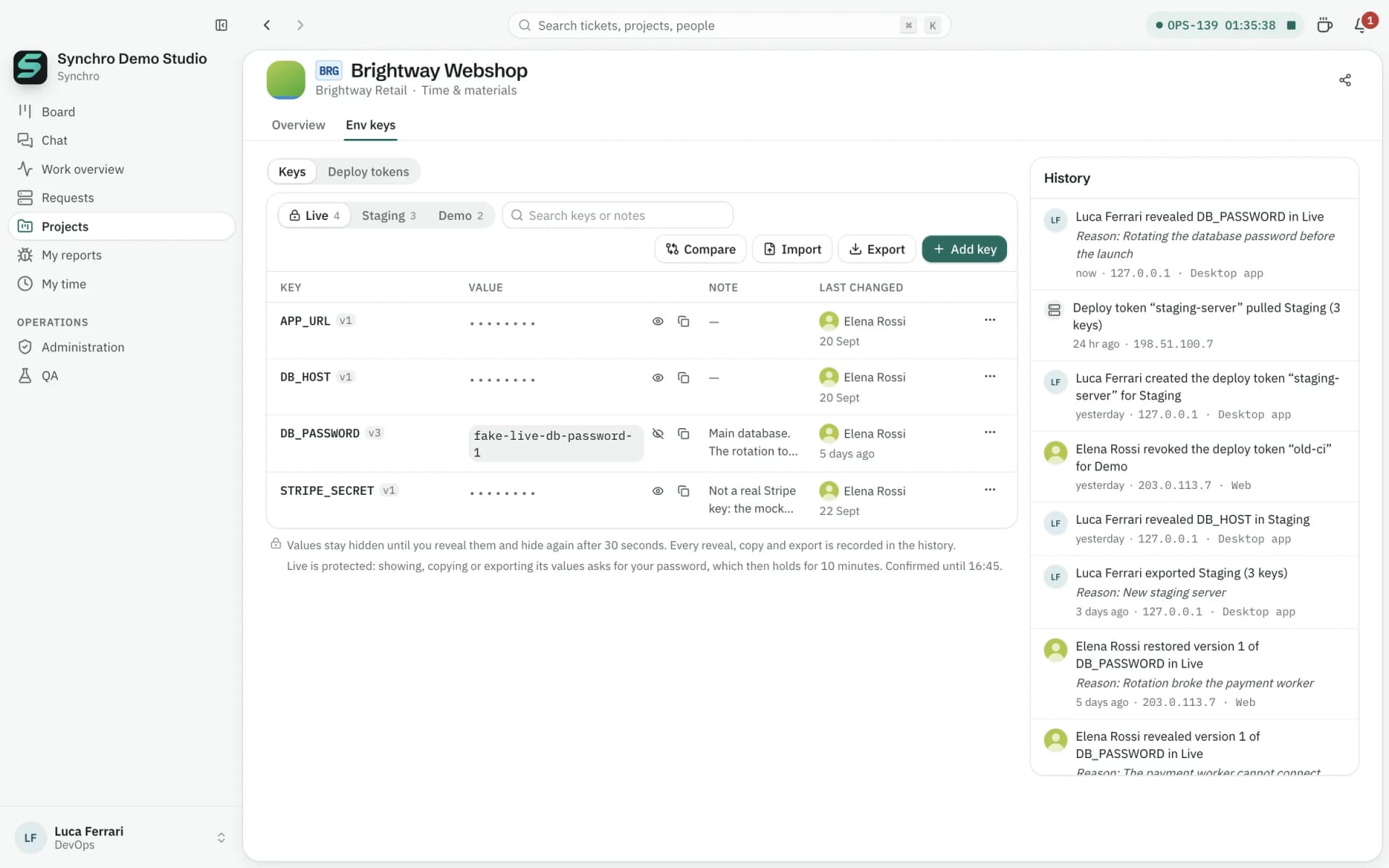
Variables per environment, Live, Staging and Demo, encrypted and password-protected. Every value revealed or exported is logged.
Highlights
- Import a .env with a preview, compare two environments, restore an earlier version.
- Live asks for your password again; values hide after 30 seconds.
- Developers and project managers read Staging and Demo, never Live.
- Deploy tokens let servers pull their .env at deploy, with a ready GitHub Actions step.
How it works
Import your .env
Paste or import a file, preview the changes key by key, then apply.
Control who sees what
Developers and managers read Staging and Demo; Live needs admin or DevOps rights and your password.
Deploy without copying
Servers pull their .env at deploy time with a deploy token you can revoke.
An audit trail for secrets
Who viewed or exported what, with date, IP and app.
A key of its own
Encrypted with a dedicated AES-256 key that can be rotated.
Never cached
Values are not stored by the desktop app or the browser.
Questions
Is every view logged?
Yes. Every reveal and export is logged with the person, date, IP and app.
Can we undo a change?
Yes. Every key keeps its version history, and you can restore an earlier value.
Related features
All features- Server mapServers, databases, storage, cloud, load balancers, firewalls, domains and external services, with the client apps that run on each.
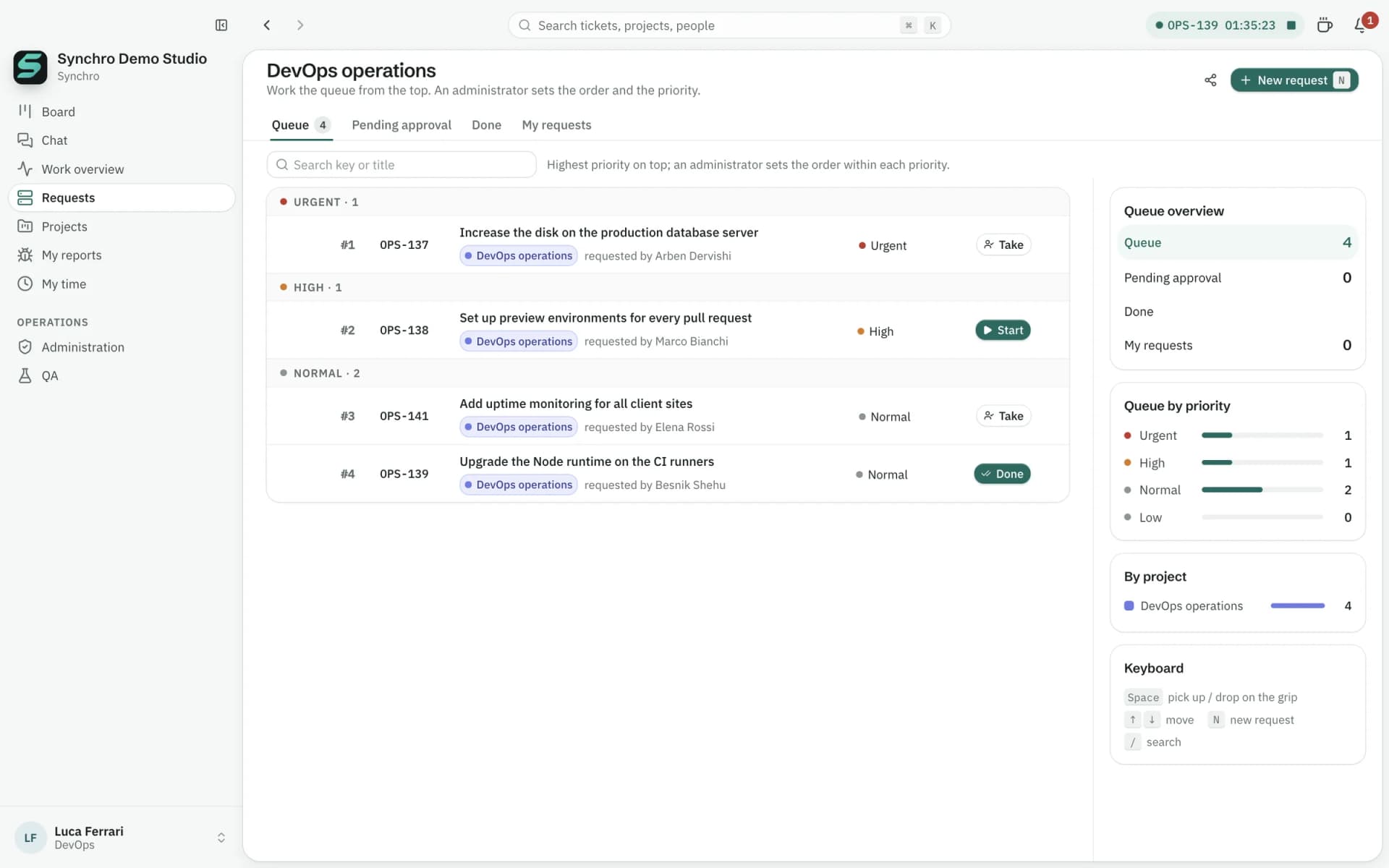 Work queuesThe team asks DevOps, QA, administration, finance or legal for help, and every request lands in a queue with a timer.
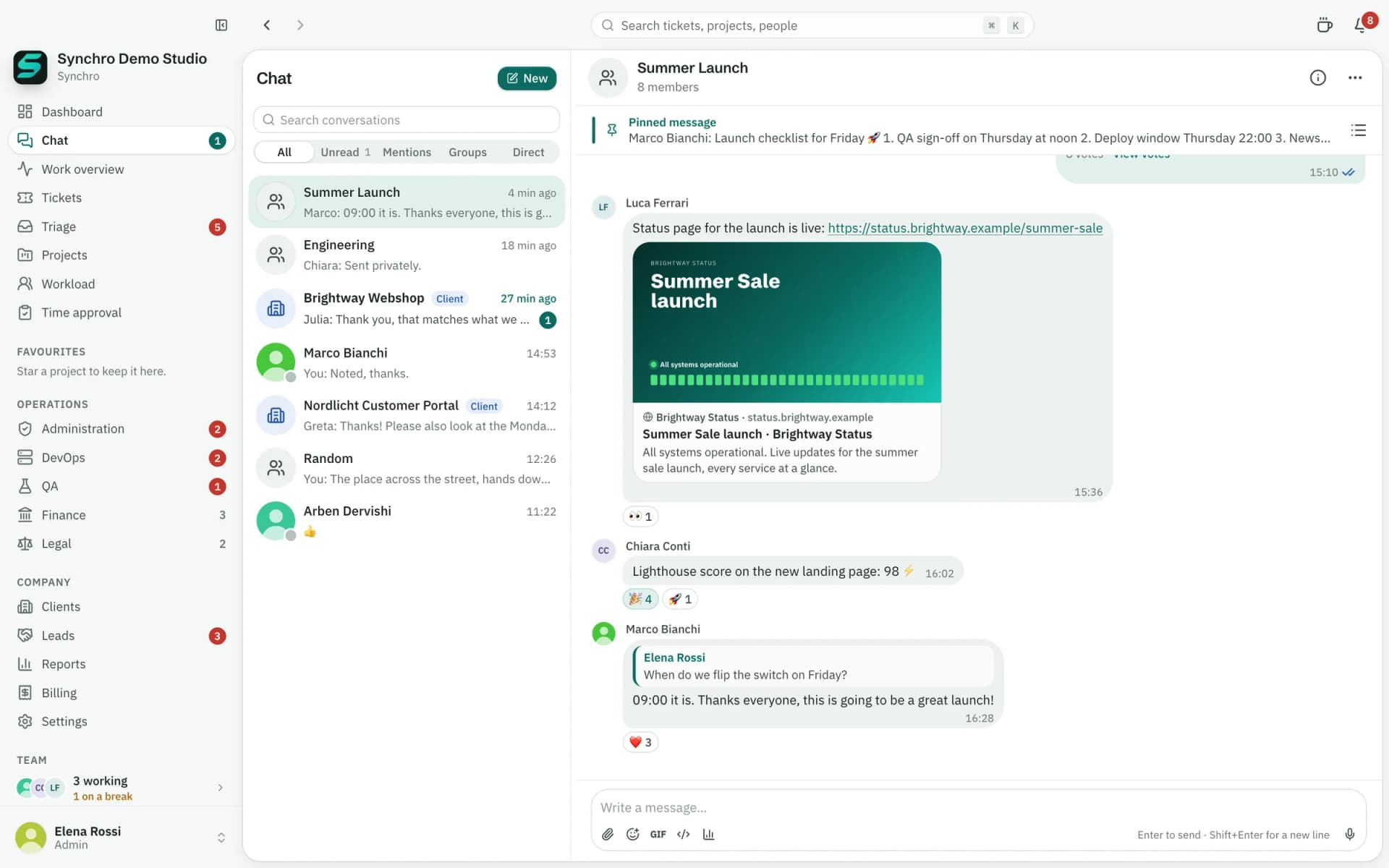 Chat and callsDirect messages, groups, a group per project and a client channel per project, with voice and video calls and screen sharing.
See it on your own projects.
A 30-minute walkthrough on a scenario like yours: from WhatsApp message to ticket, from estimate approval to month-end invoice.