
From WhatsApp message to paid work.
Synchrosi turns every client request into a ticket with an owner, an estimate and a due date. Every hour logged lands on the right ticket, and team workload, progress and margins update themselves.
For software agencies, digital studios and IT teams of 5 to 50 people.
James Carter, Brightway Retail
Hi! Since this morning discount codes don’t work in the basket. Sending you a screenshot.
Discount codes stuck in the basket
- Owner
- Emily Brooks
- Estimate
- 3 hours
- Due
- Friday
Emily’s workload
0%
Healthy
Project progress
0%
Brightway Webshop
Projected margin
0%
On €18,000
Client work leaks out of every crack.
- Scattered requests
- They arrive on WhatsApp, by phone, by email and in meetings. Some are never written down.
- Invisible overload
- Nobody knows who is full this week until someone misses a deadline.
- Disconnected hours
- Time is logged somewhere else, or not at all, and never tied to the task.
- Free work
- “Bug or change?” is argued after the work is done, and changes go unpaid.
- Clients chasing you
- Clients keep messaging to ask how the work is going.
- Budgets overrun
- Fixed-price projects run over budget without anyone noticing in time.
Every piece of client work is a ticket. Every hour points at a ticket.
Request
WhatsApp, email, phone, portal, meeting
Ticket
Owner, estimate and due date
Hours
Always tied to a ticket
The full picture
Workload, progress, budget and margin, with no reports to fill in
From first message to closed ticket, in seven steps.
Capture
The client reports it in the portal, or the team pastes the WhatsApp message.
Triage
A lead decides what it really is: bug, change, question, duplicate.
Estimate
Changes get hours and a price, and the client approves them in the portal.
Plan
Priority, due date and owner, with a warning if that person is already full.
Work
One-click timer, status changes, internal notes, subtasks per discipline.
Review
QA passes it, or sends it back with a reason and a screenshot.
Close
The client confirms, or the ticket closes itself after 7 days.
Phone requests
The phone rings. The request becomes a ticket.
Some clients will always call. Log the call as a ticket while you talk: the phone channel, the client and the time they asked are kept with it.
- Phone, WhatsApp, email and meetings land in the same queue.
- The ticket keeps the time the client first asked.
- After the call, send the client a link to follow it.
Everything you need to run client work.
All features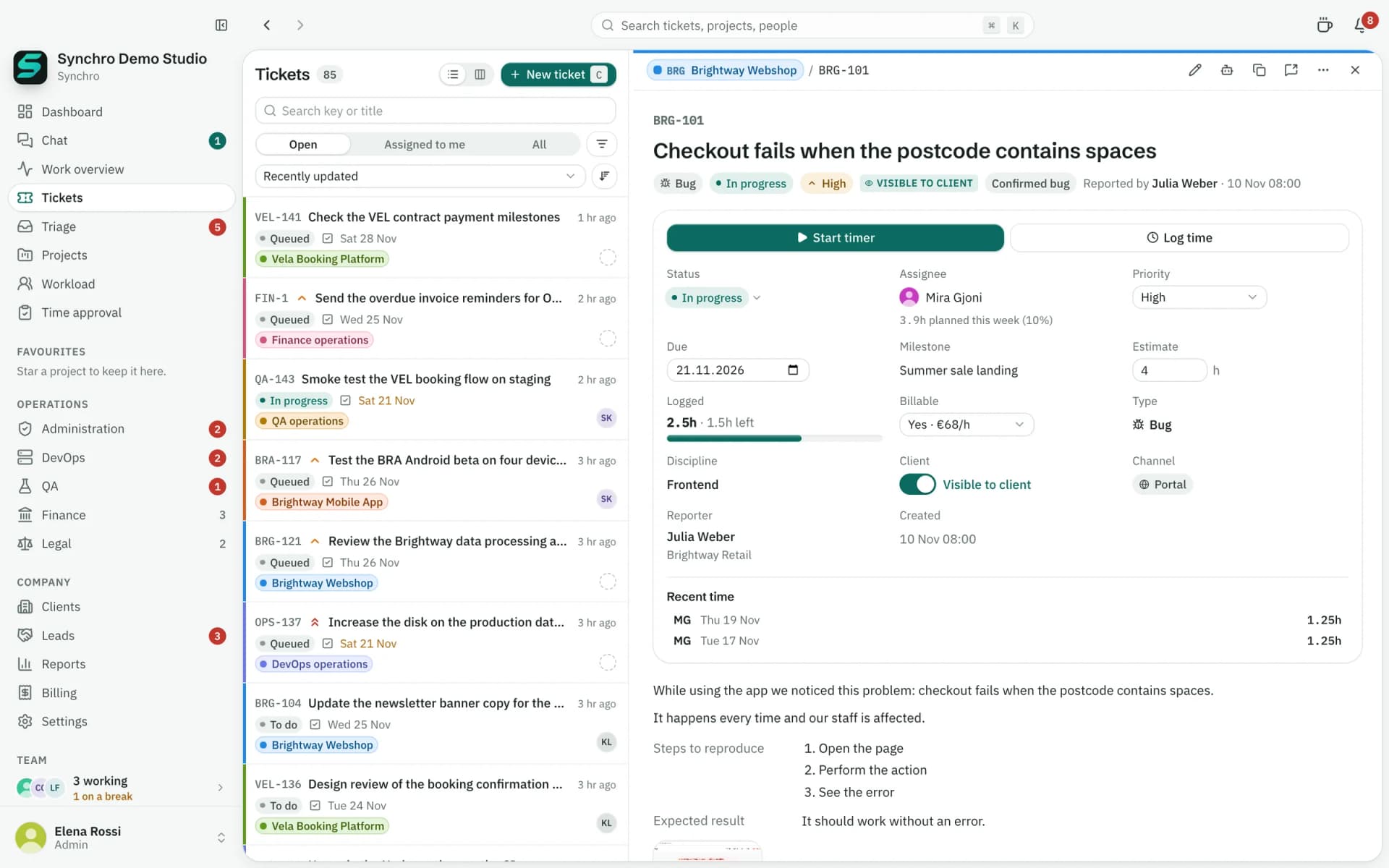 WhatsApp to ticketPaste the chat. Synchrosi reads the sender and time, matches the contact to the client, picks the project and attaches the screenshots.
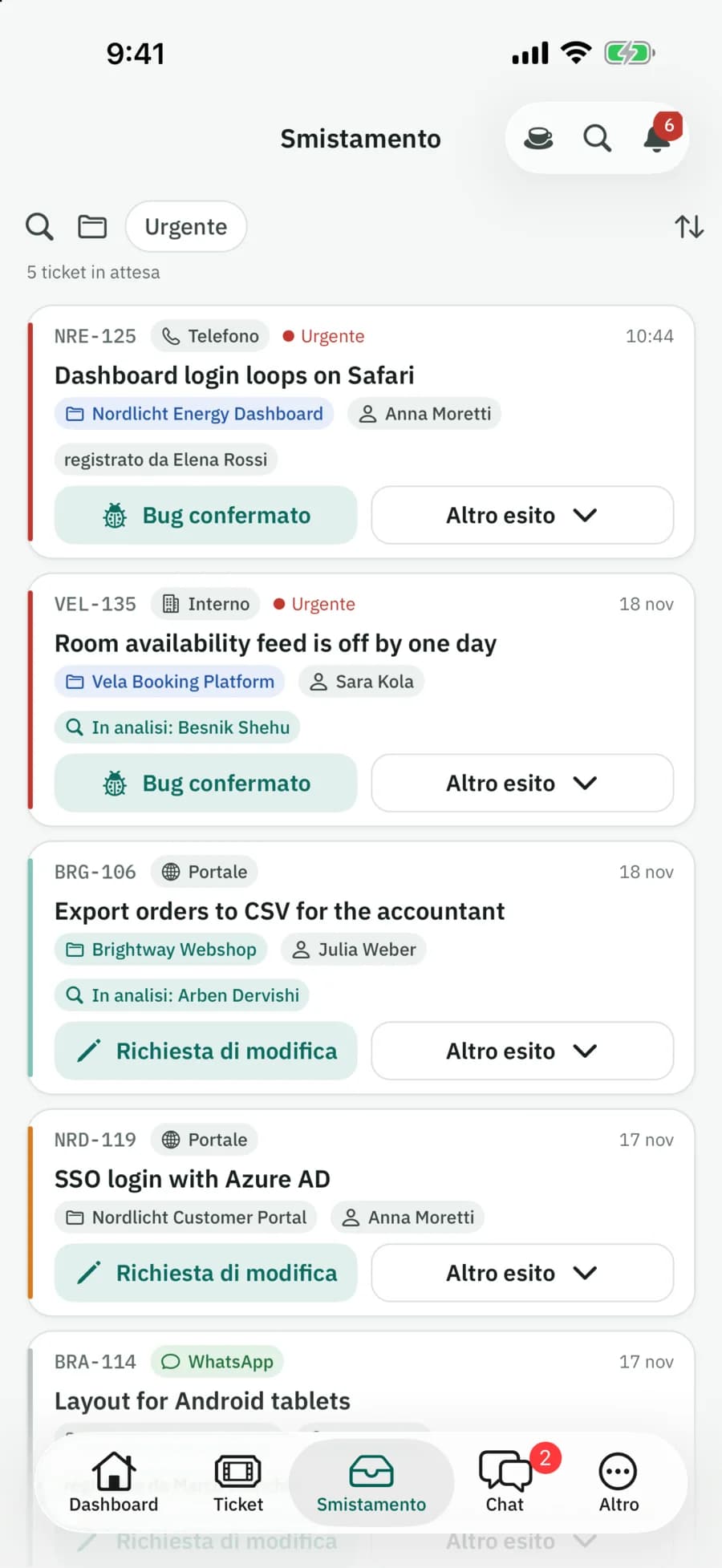
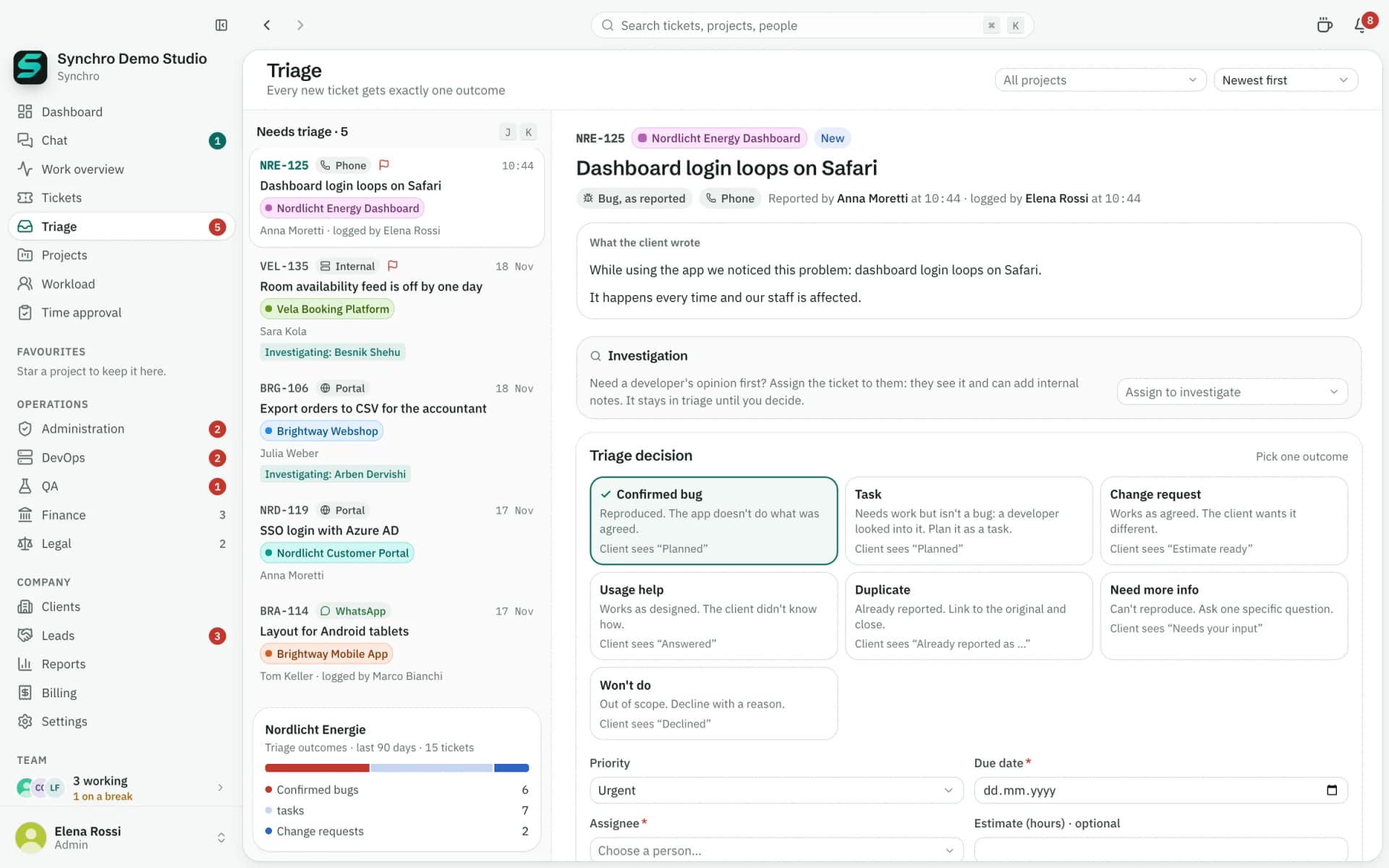 TriageEvery new report gets exactly one outcome. Changes are estimated and approved instead of being given away.
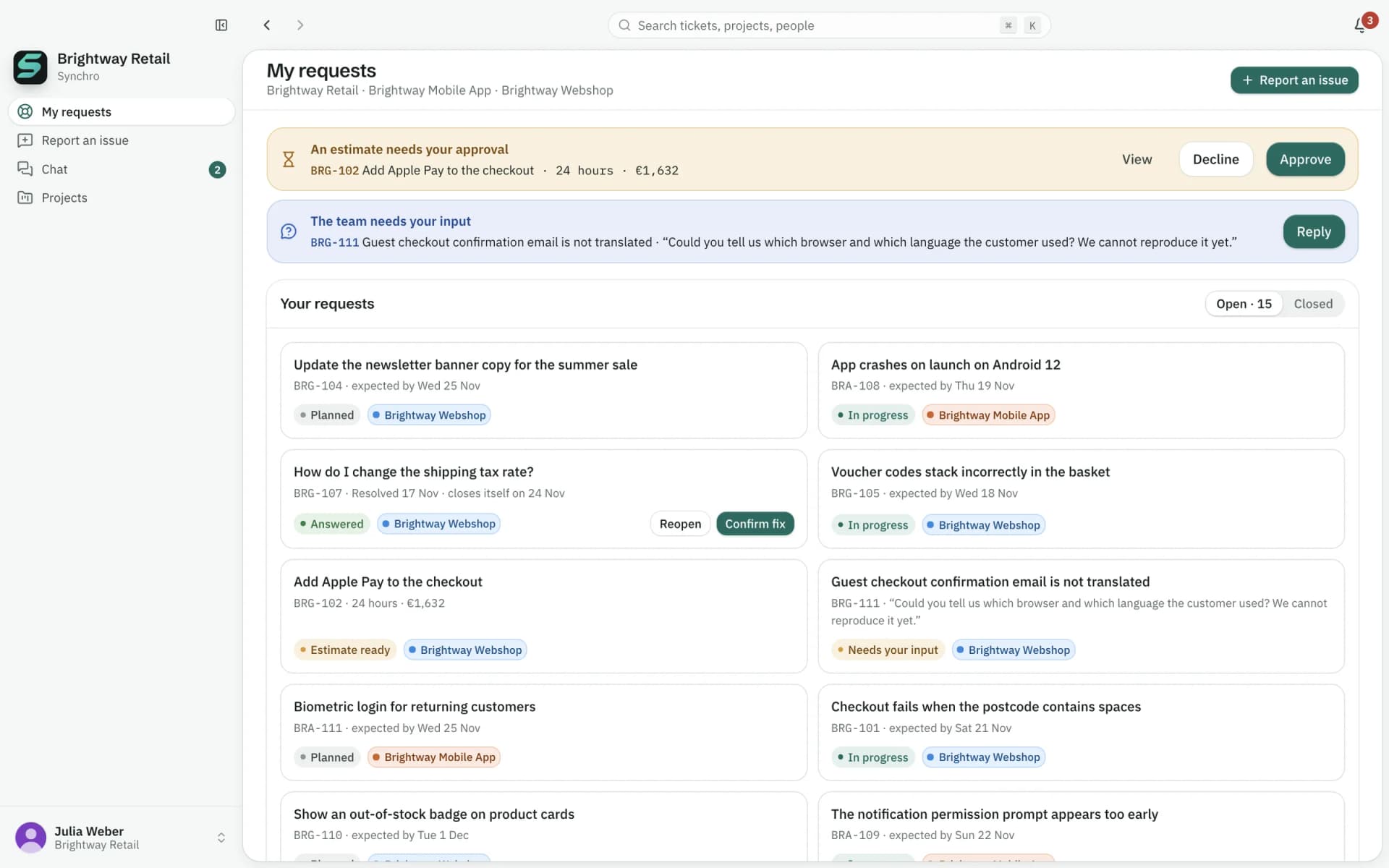 Client portalA portal where the client reports, replies, confirms fixes and approves estimates before work starts.
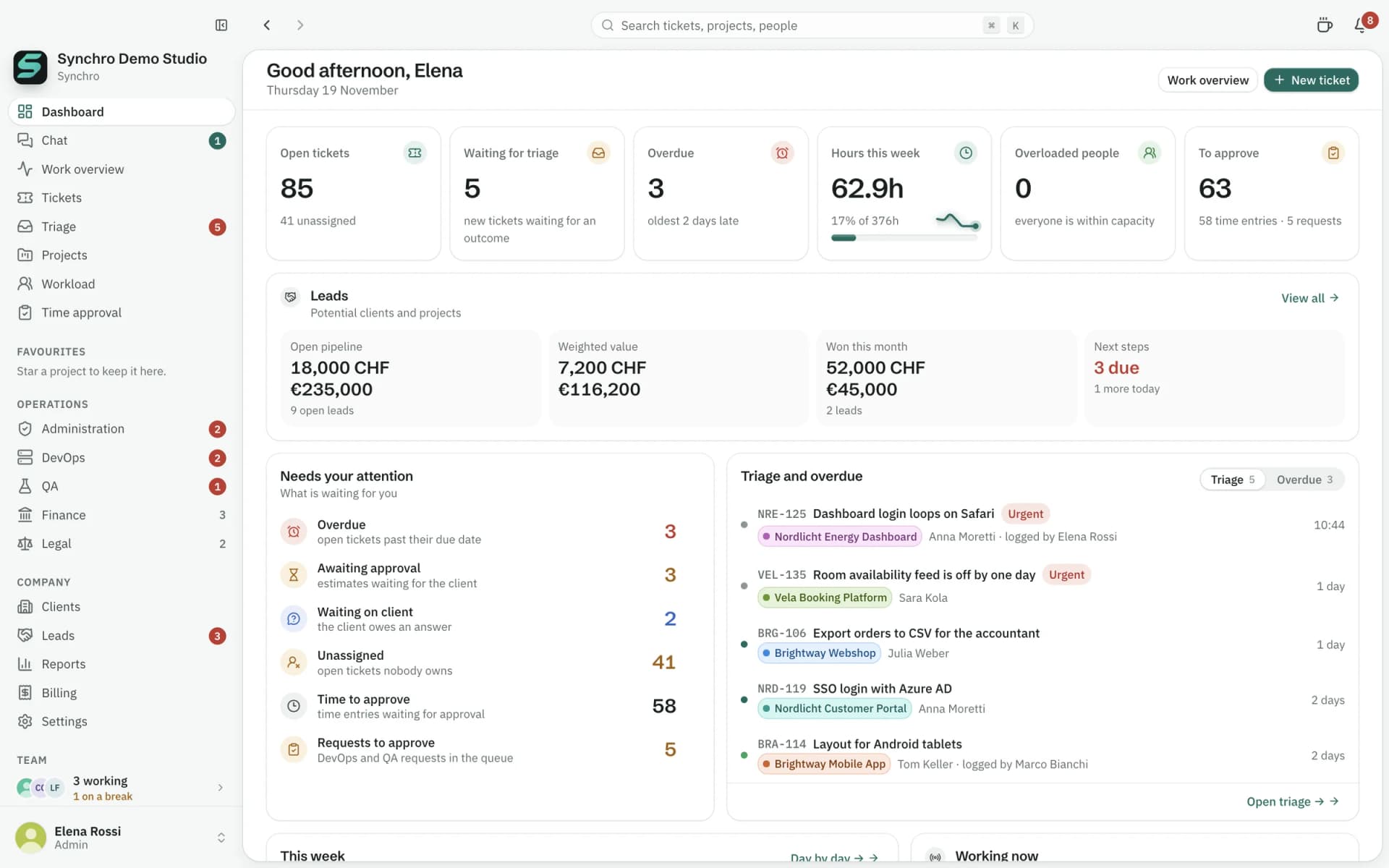
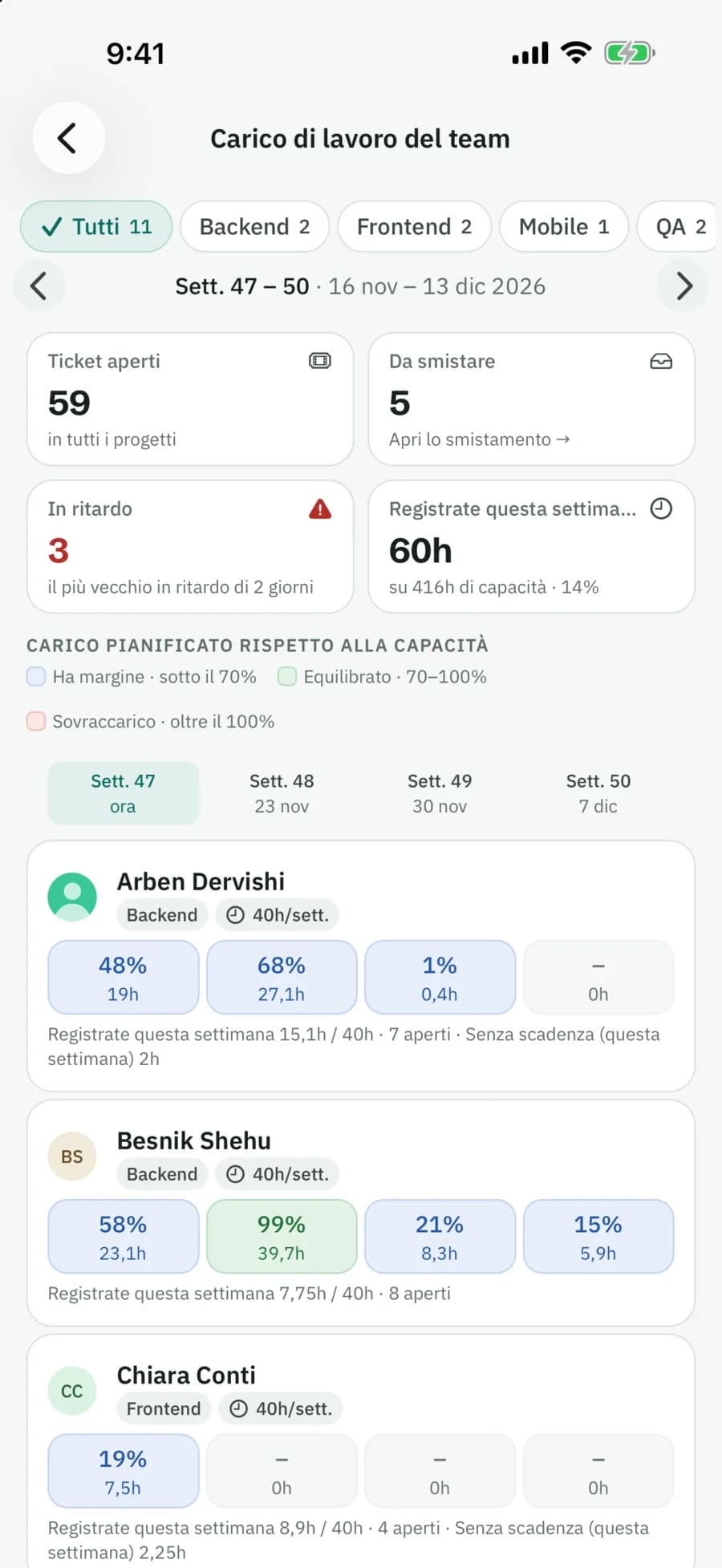
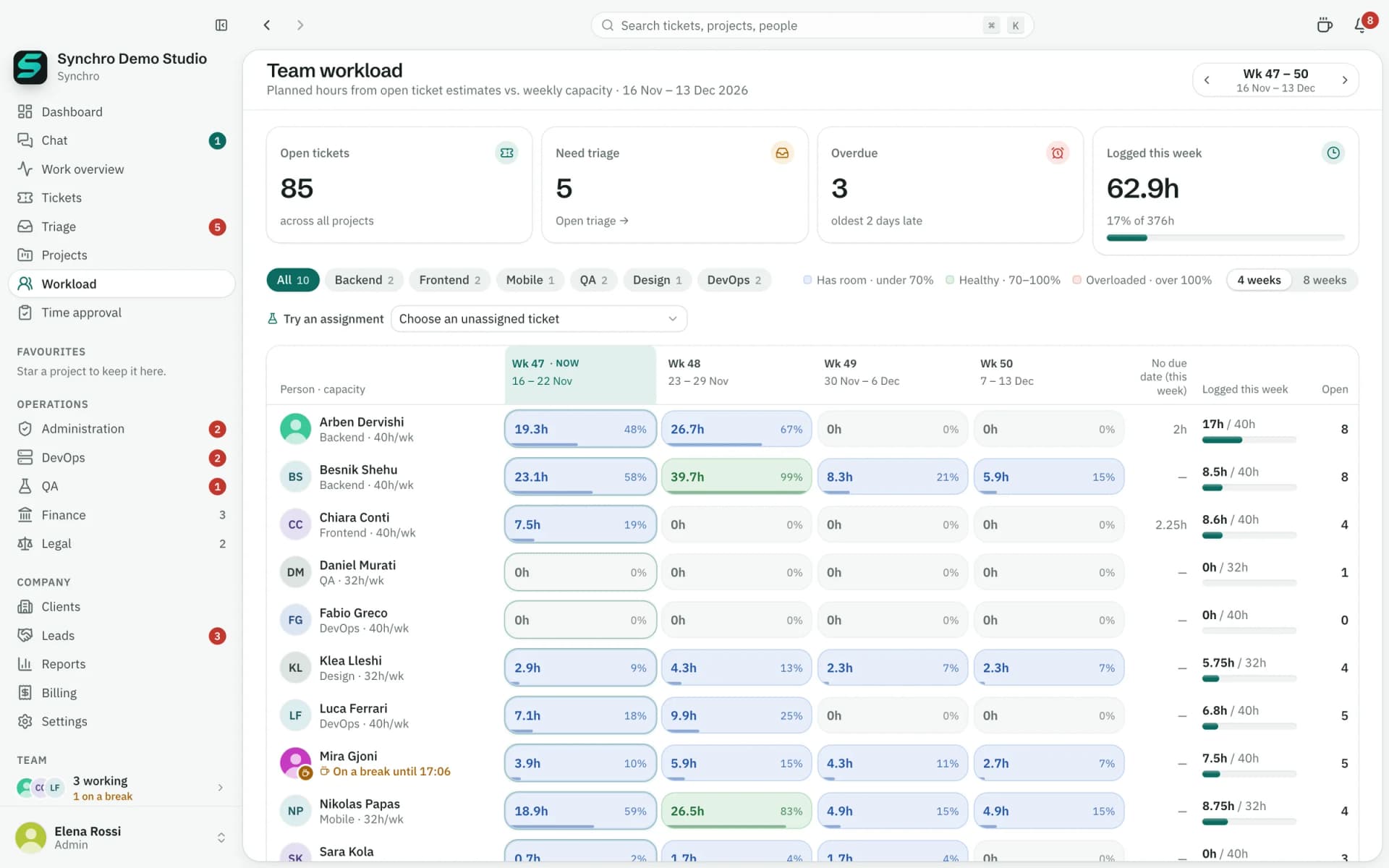 Team workloadEach person's week as a percentage of their capacity, calculated from estimates and due dates. Nobody has to fill in a plan.
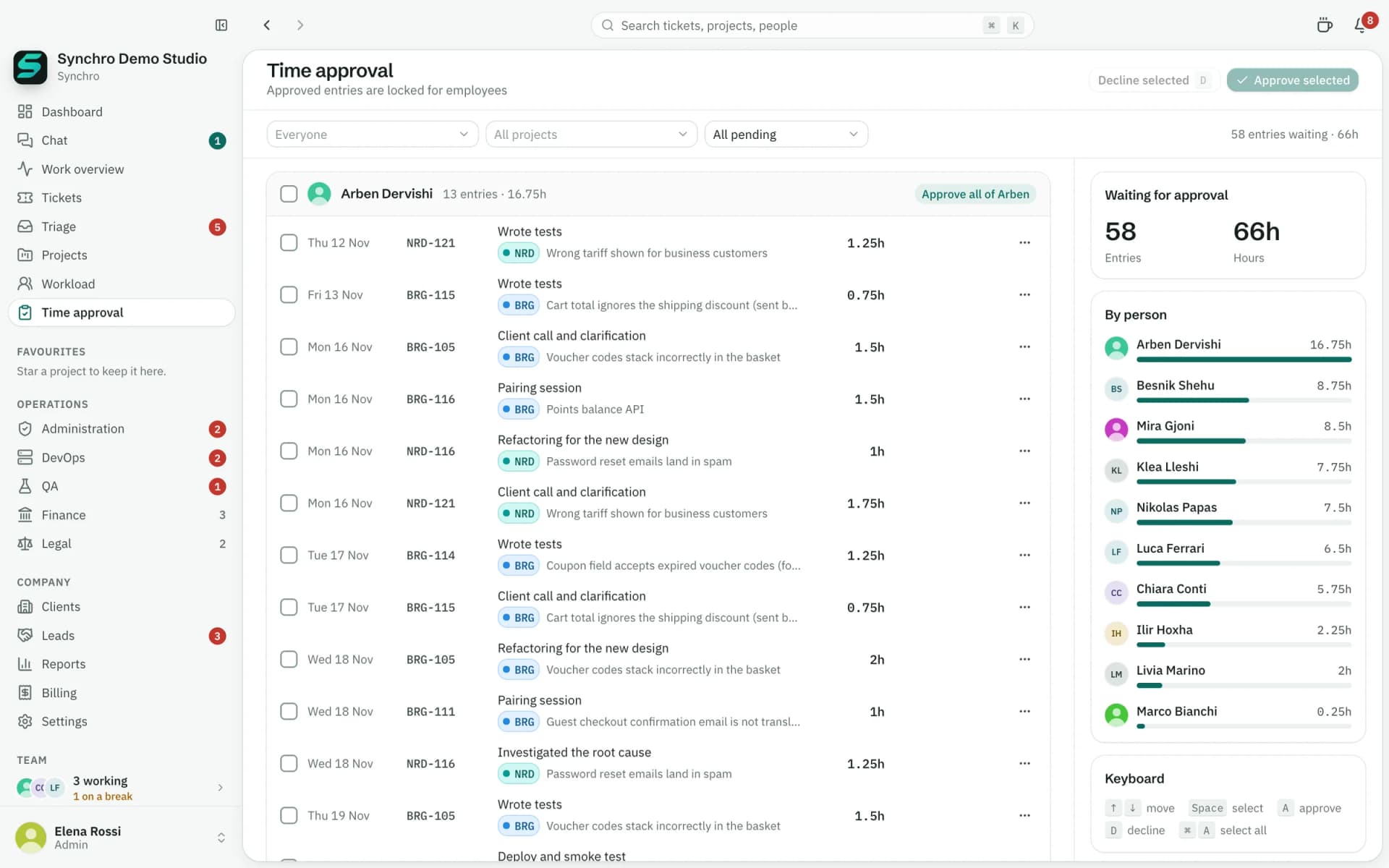 Time trackingOne timer per person, started from the ticket they are already working on. Approved hours lock.
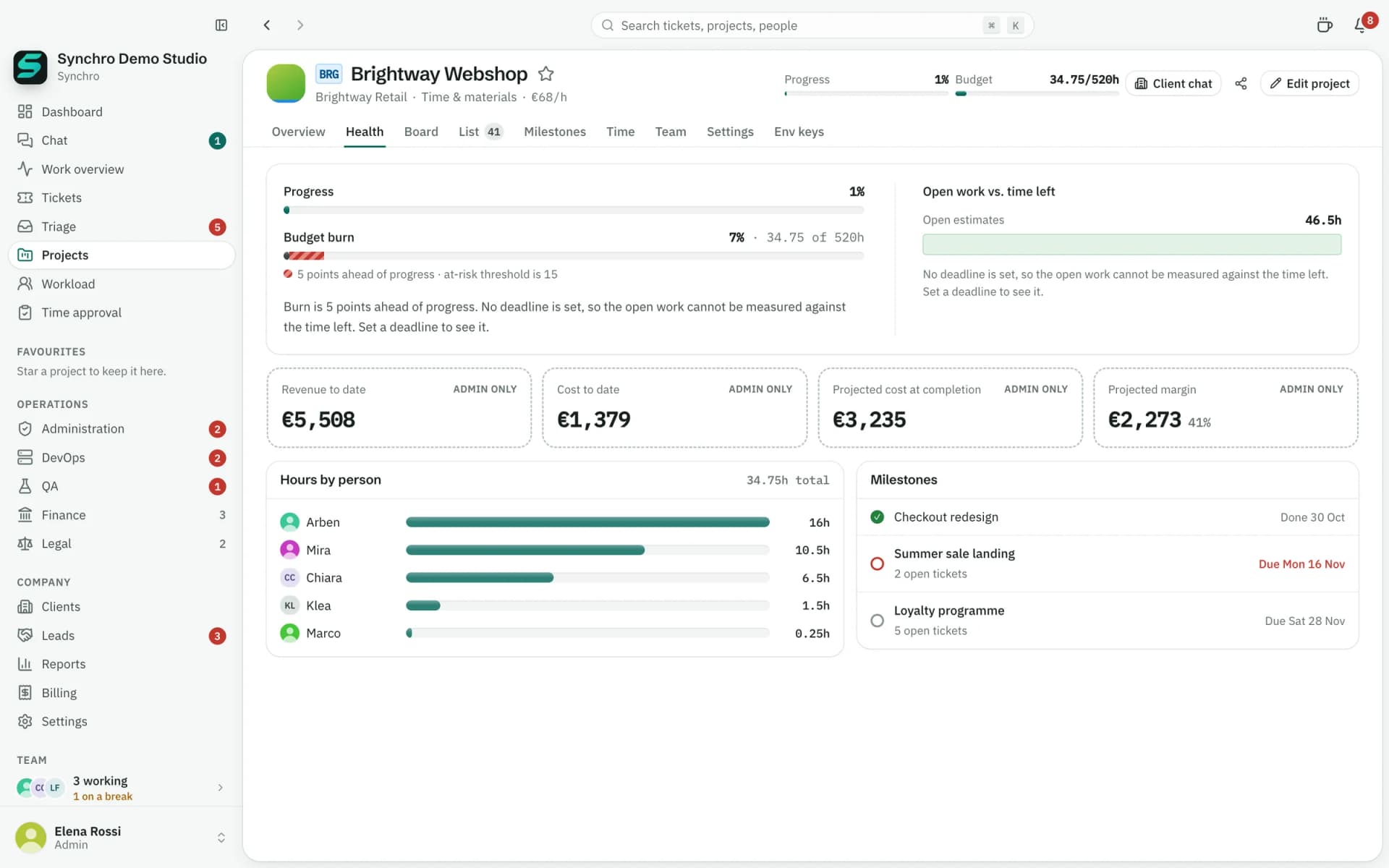 Project healthProgress against budget burn, the pace of the last two weeks and the projected margin at completion.
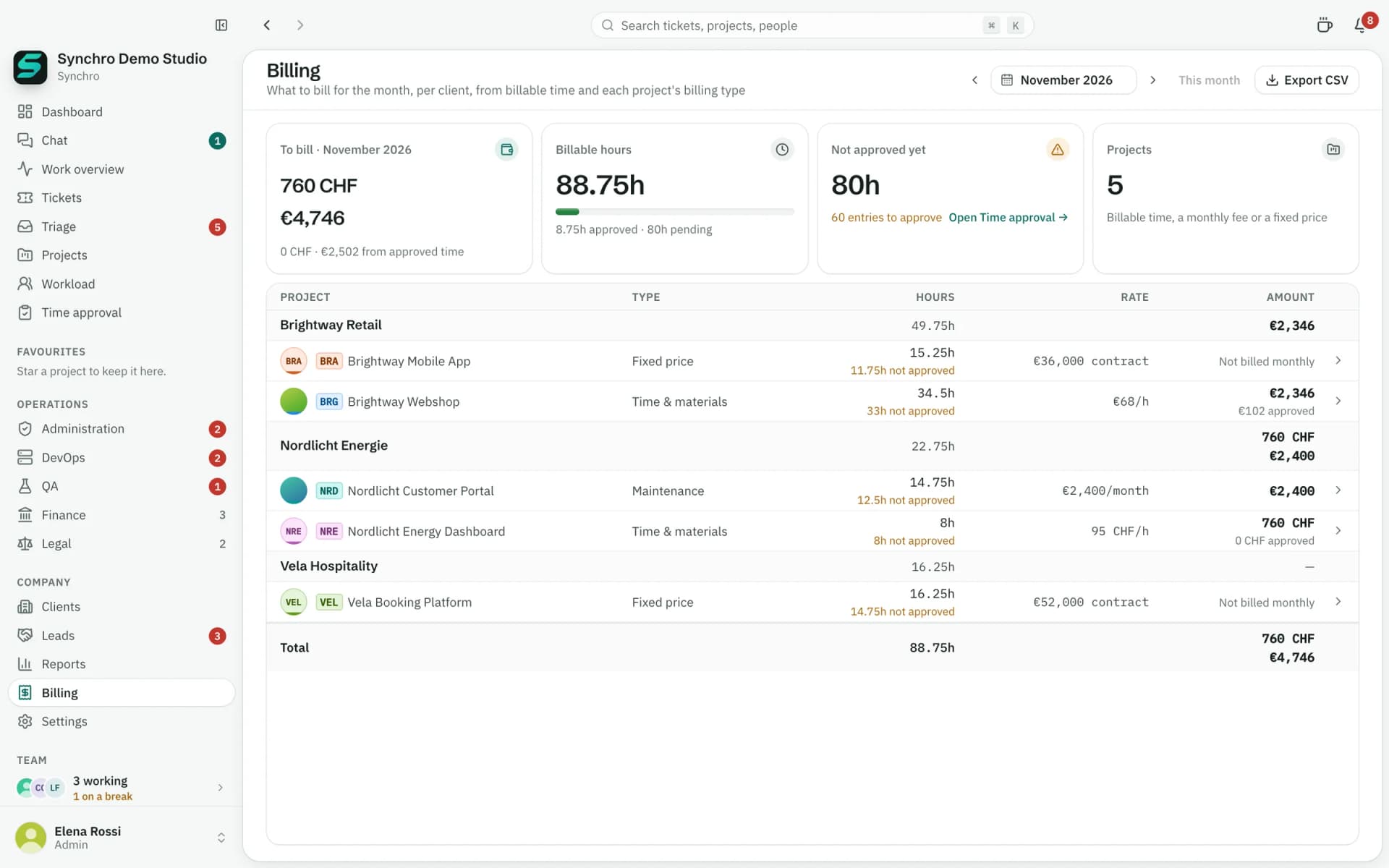 Billing and reportsWhat to invoice each client, calculated from billable hours and each project's contract type.
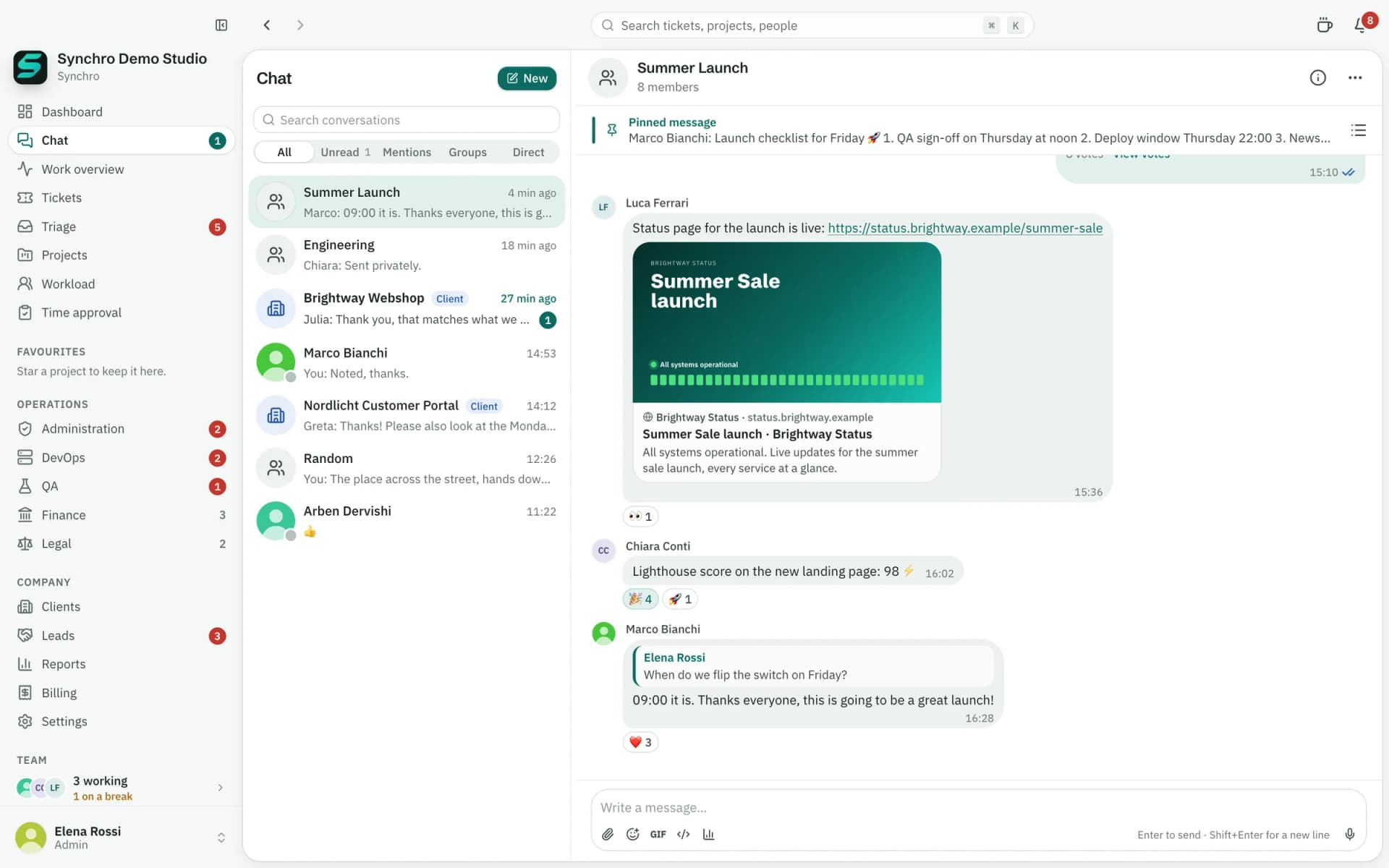 Chat and callsDirect messages, groups, a group per project and a client channel per project, with voice and video calls and screen sharing.
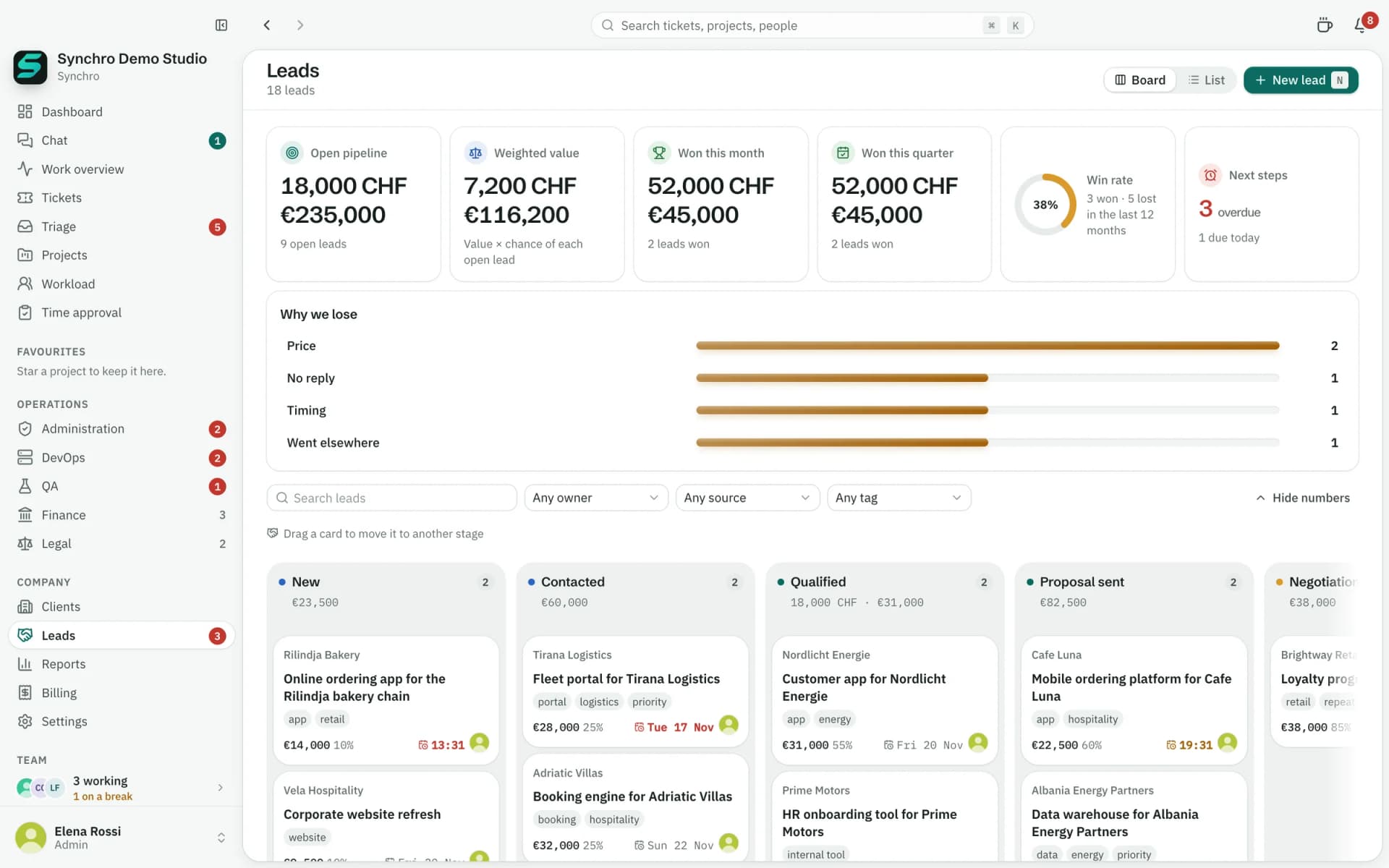 Sales pipelineA lead pipeline from New to Won, with value, probability and next step. A won lead becomes a client, project and contact in one step.
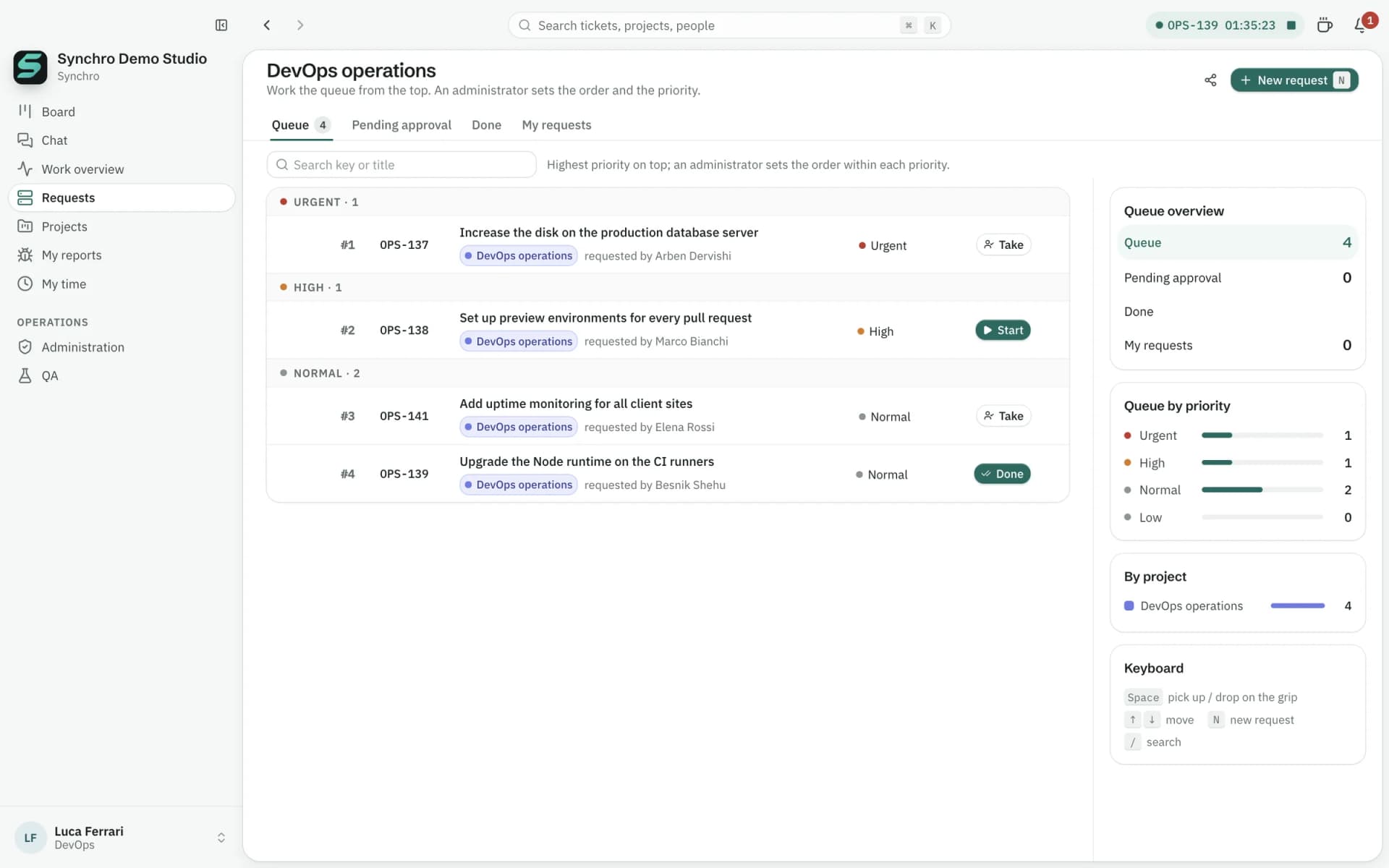 Work queuesThe team asks DevOps, QA, administration, finance or legal for help, and every request lands in a queue with a timer.
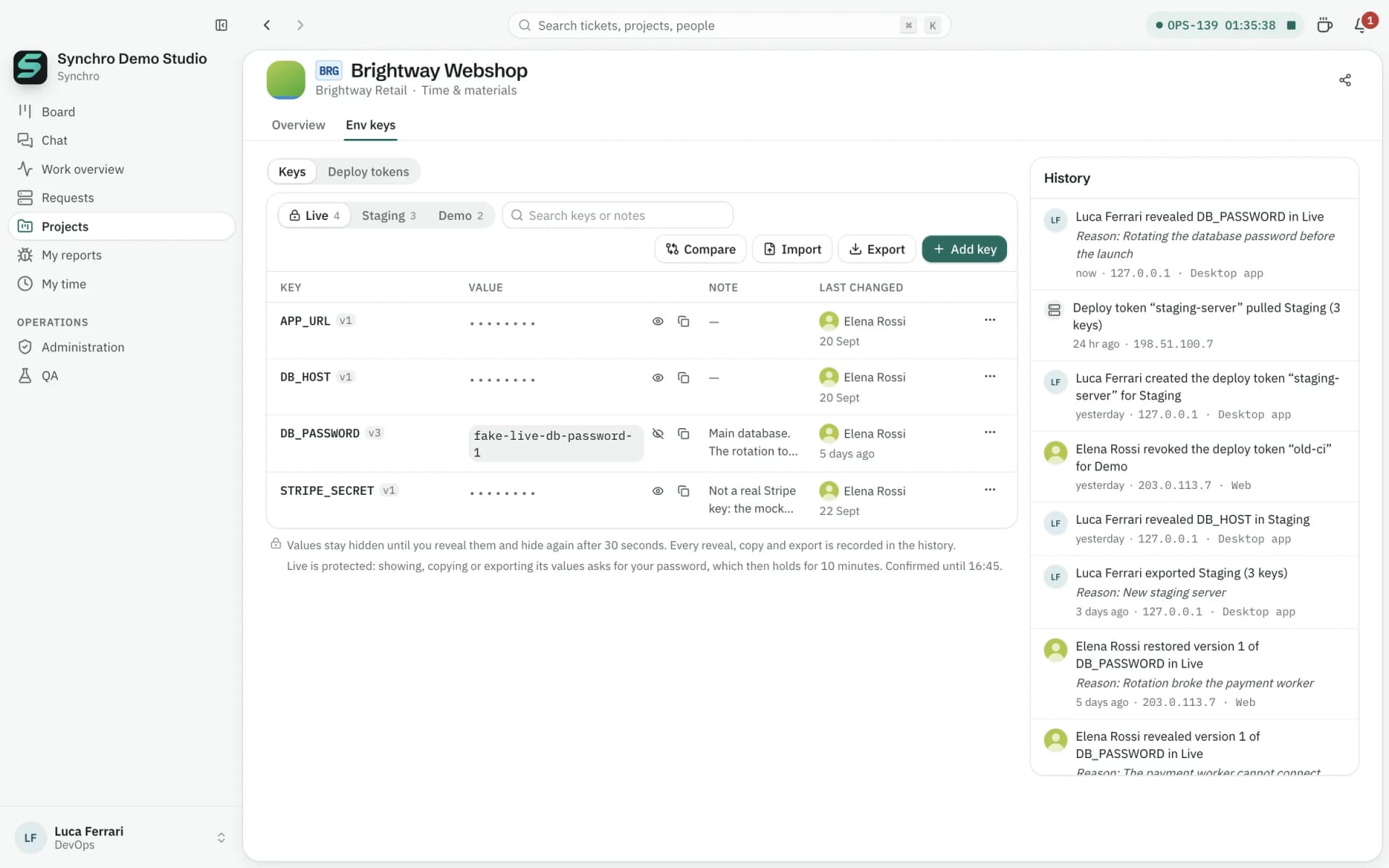 Environment keys vaultVariables per environment, Live, Staging and Demo, encrypted and password-protected. Every value revealed or exported is logged.
- Server mapServers, databases, storage, cloud, load balancers, firewalls, domains and external services, with the client apps that run on each.
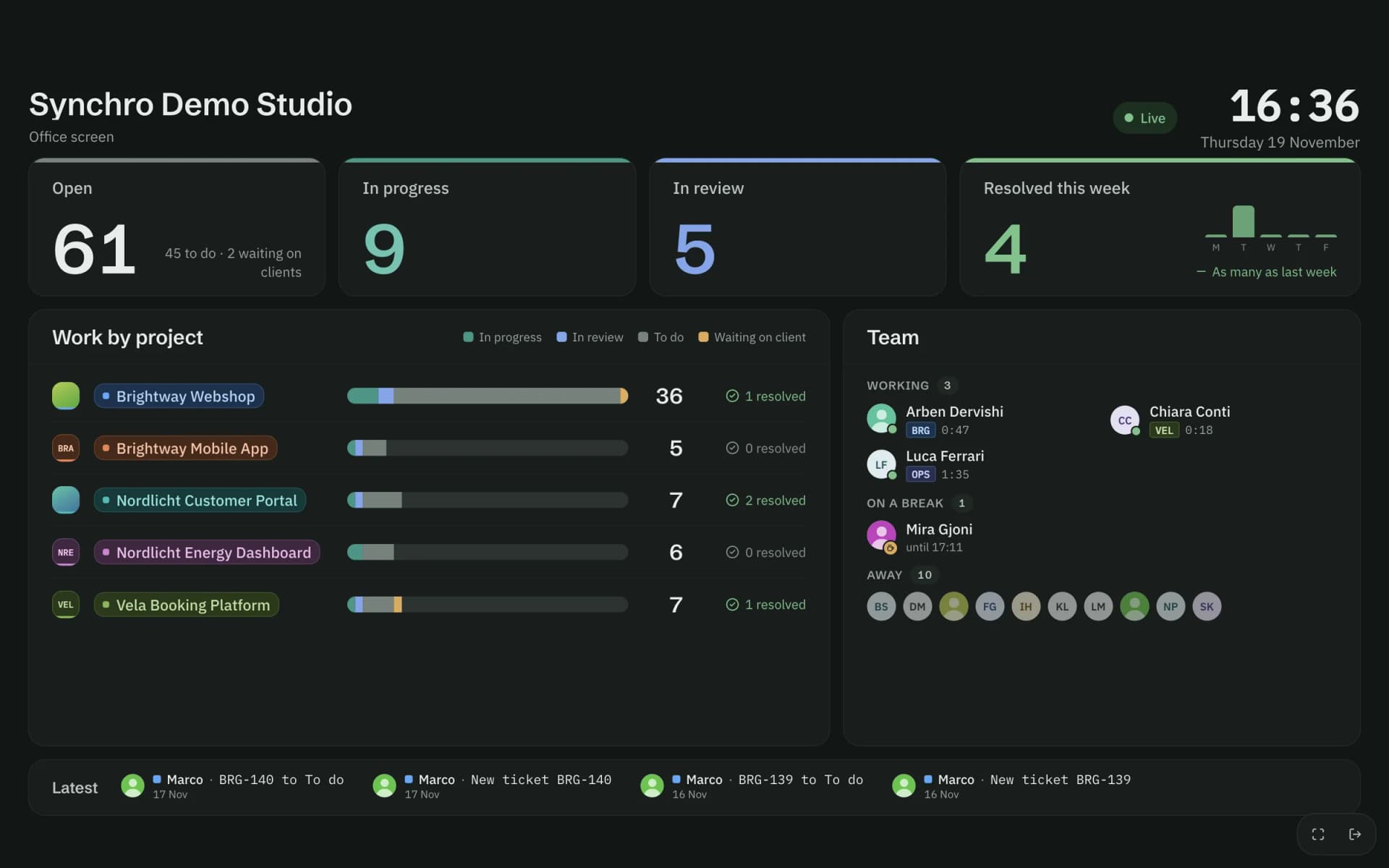 Office screenA read-only dashboard: open work by project, running timers, who is on a break and this week's results.
One product, the right screen for each role.
Nine roles, each with its own view. Permissions are checked by the server on every request, not just hidden in the interface.
- OwnersThe whole studio on one screen: open work, triage, approvals, sales pipeline and margins.
- Project managersThe projects you run, with triage, estimates, planning and team capacity.
- DevelopersTheir own queue, timer and week. No plans to fill in.
- DevOpsA queue ranked by priority: Start takes the next item and starts the timer.
- QAEverything waiting for a test, to pass or send back with proof.
- FinanceWhat to invoice, reports and approved hours, read-only.
- LegalClients, contracts and emails sent, read-only.
- ClientsA simple portal to report issues, follow progress and approve estimates.
- Office screenA TV dashboard: work by project, running timers, who is on a break.
Works wherever your team works.
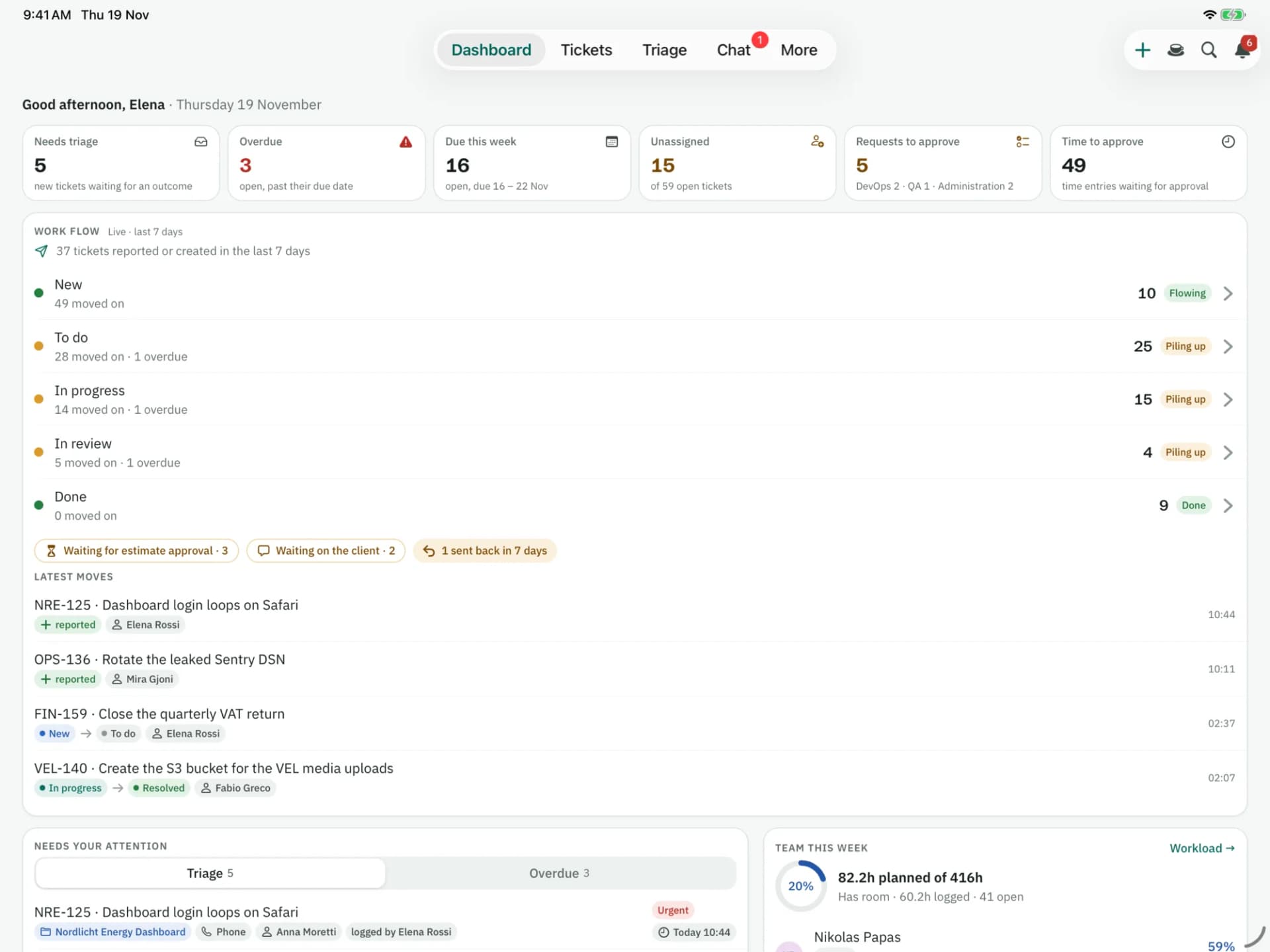
A change on one device shows on the others immediately. Native notifications on desktop and mobile, even with the window closed.
- Web
- iPhone and iPad
- Android
- Windows
- Mac
- Widgets for iOS and Android
Built to be trusted with client work.
Learn more20 ms
median response time
74 ms
within which 95% of responses arrive
AES-256
encryption at rest for chat and environment keys
- Every permission is checked by the server, on every request.
- A log of who viewed or exported each secret, with date, IP and app.
- Every signed-in device is visible and can be signed out remotely.
- Desktop apps keep sign-in tokens in the system keychain.
- More than 800 automated backend tests.
Internal load test, 11 November 2026: 40 active users, 6,000 tickets and 62,000 messages on a server with 2 CPUs and 2 GB.
Pay for your team. Your clients are free.
One price per internal user. Client contacts in the portal never count as users.
Starter
For small studios that want every request and hour in one place.
€7per user / month, billed yearly1 to 10 users
- Tickets, WhatsApp capture and client portal
- Timer and team workload
- Chat and calls
- Web, mobile and desktop apps
Most popular
Team
For agencies that estimate, bill and watch margins.
€15per user / month, billed yearly3 to 50 users
- Everything in Starter
- Triage and estimate approval
- Project health and margins
- Billing, reports and sales pipeline
Business
For larger teams with DevOps, QA, finance and legal.
€24per user / month, billed yearlyFrom 10 users
- Everything in Team
- All nine roles and work queues
- Environment keys vault and server map
- Office screen and secret audit log
Synchrosi in under a minute.
The questions we hear most.
We already use Jira, Trello or ClickUp. Why switch?
Those tools track tasks. Synchrosi ties tasks to hours, contracts, client approvals and team capacity, so you see margins and overload, not just a to-do list.
Our clients will never use a portal.
They don’t have to. The team captures WhatsApp messages in seconds and replies with a link the client can open without learning anything. The portal is there for those who want it.
Developers hate tracking time.
One click starts the timer from the ticket they are already on. No plans to fill in, no weekly reports: Synchrosi works out the rest.
Is our data safe?
Every permission is checked by the server on every request. Chat and environment keys are encrypted at rest, every revealed secret is logged and sessions can be signed out remotely.
Can it handle our size?
In an internal load test with 40 active users, 6,000 tickets and 62,000 messages on a small server, 95% of responses arrived within 74 milliseconds.
Which languages does it support?
The app is in English, Albanian and Italian, including notifications and client emails. Everyone picks their own language.
Which contract types does it handle?
Fixed price with an hour budget, time and materials with an hourly rate, and monthly maintenance with included hours and an extra-hour rate, in any currency.
See Synchrosi on your own projects.
In 30 minutes we walk you through the whole journey: from WhatsApp message to ticket, from estimate approval to the month-end invoice.